Congrats!!!

rayydio

Legit VIP
To all who worked on this project...congrats! I installed the final version of the image this afternoon and had it blind scanning in about 5 minutes. Very nice install and setup...I think that it will serve the purpose it was designed for, new E2 users. I really like the information that is displayed after a blindscan has finished...nice one EB! Also the skin is wonderful with all the info and weather that is displayed.

All in all...Bravo -
 
I agree with Rayydio. I've been running an RC version of this for a few weeks, and I like it a lot. I plan on upgrading to this new completed version very soon.

Thanks for all the work you guys have done on this! It is much appreciated.
 
Make a folder with the name downloaded_images.
Put the file you downloaded in the folder. Do not unzip or alter what you downloaded.
Put the downloaded_images folder back on the usb stick and insert the stick into the receiver.
Select Flash image from the menus and press the ok button on the remote to enter this menu (Menu--->Setup---Flash image
The image you want to flash will be in the downloaded images folder displayed in the menu. Follow online instructions to flash. Let us know if you have any other questions.
 
el bandido, I followed your instructions, getting Error flashing kernel. System won't boot. Please flash backup! Starting E2 in 60 sec. Satdream-6-TNAP-osmio4k-20190305A-multiboot was the file I downloaded. Does it matter which slot I put a file in, there are 4 Slots with backup and without backup. This is what I got when I put it in Slot 2, without backup. Thanks.DSCN0783.webp
 
Should not get those errors - in any slot number.
I guess I need to check and make sure there is not a problem, then make a simple video showing how to flash these multiboot images. I think it might be easier seeing a video rather than me trying to explain it. I will also check and make sure there is not an issue flashing from OpenPLi 7.
 
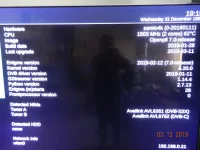
I purchased the edison 4k in the first batch with Titanium with just the 2019-01-21 build date version of TNAP. So i dont multiboot with other images. I am just curious how i can update to this new version you have out. Thank you
 
There is nothing really to upgrade or update to for TNAP. The only real differences in the inage you have and the one posted will be cosmetic changes. You may load it if you wish, but I suggest doing a full image backup first.
 
Oh
i just did backupstick.txt on usb now. i still have it miss luken mux on 113c on blind scan.
i know how to enter it myself. And how do i enter pids on 103 ku for muzak stations. Thank you for your time. Tony
 
Miss luken mux on 113c? Sorry, but I do not know what that is.
To add the 103 Ku radio channels, use DreamboxEdit or similar enigma2 channel editor program.

Verify that the image backup is intact, then you may load what ever you want into the box, and still have a restore point by using the backup image that you created.
 
For what it's worth, my Mio on a 7.5ft SAMI dish using a Titanium C1-PLL lnbf, has NO issues blindscanning and locking all the channels in the Luken mux (4040 V DVB-S2 8PSK 30000-3/4) with ANY of the four images on my receiver. SatDreamGr (two different revs at present), OpenVix, and OpenPli.

I'm located in mid-Michigan.

Be aware that SOME of those channels at various times are dead/blank with nothing on them for whatever reason. That's been true off and on for years, even when they were on other sats.

So, is your issue that it can't scan ANY of the channels in on that mux, not a single one? What size dish and what lnb(f) are you using, etc? What previous receiver did you use, AND did that one properly blindscan in channels on the Luken mux?
 
the manhattan rc1978 picked up those channels. I am aware of the other channels being dark. But when doing blind scan it never picks any luken muxes them up untill i input the perameters in. I am using the titanium c1 also. Thank you for your response. Tony
 
Back
Top