Octagon SF8008 Supreme

What images are pre installed?
The file system of an E2 receiver can be fun to ponder. Looking through the Python files and making occasional changes to pee around. Learning that a new one is created after doing so.
With a full backup of a working and stable system. No harm, no foul.
Discovering bells and whistles here and there. Kind of diversifies watching people circling a rock and monotonic book readers mumbling stuff you'll never understand nor desire to. Right!

Almost every enigma2 receiver you get will be shipped with OpenATV. Very few exceptions to this.

You can expect to have your Octagon SF8008 Supreme shipped with OpenATV image and also the Define thingy installed.

IMO, the Define operating system turns the receiver into a cheap China Box. The layout is the same.
 
Last edited:
A new one for me... I was checking recordings in the play list to delete the ones that were not needed. I selected each recording and advanced the player by touching the number 9 button many times. Stopped the recording and touched red button to delete it. I continued this procedure for five recordings. On the last selected recording, after pressing the 9 button the screen froze.

I waited a few minutes before thinking of doing a reboot or cold boot. Waited a few more minutes and the receiver came back to life and displayed the media/usb
directory, but the movie sub-directory was missing. Did a putty reboot and still no movie directory. Did a backupsuite good tnap restore and still no movie directory.

Multibooted to ATV and hit the playlist button and it showed no recordings available in the movie directory. Checked the trash and .trash directories and they were also empty. But at least the movie sub-directory was back.

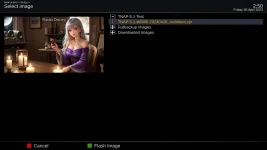
Used the atv system menu to flash tnap-5.1-sf8008-0240322_multiboot.zip into its original slot 3 and rebooted. Did the necessary setup routine and used backupsuite to restore the good tnap image. After the reboot checked the playlist and it was empty, but the movie directory was back.

Do you know of any commands in putty to recover items in the movie directory or any plugin that can recover deleted items? I really don't want to remove the ssd and plug it into win10 to use a third party program to do a recover. Since nothing has been written to the ssd yet, I am pretty sure the movies might be recoverable.
 
All slots were empty.... learned a valuable lesson though.... don't push the 9 button continuously and very fast to advance the recording or the receiver will get ticked off and wipe out the movie directory..... LOL
 
The different enigma2 images that I have tested perform similar on the SF8008 Supreme. Some enigma2 images will have features that other images do not have, but for the most part, they all perform the same.

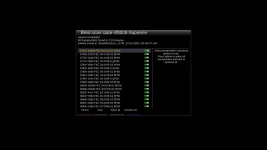
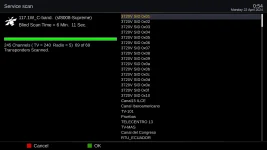
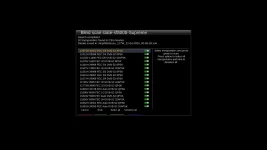
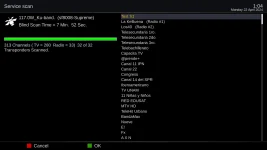
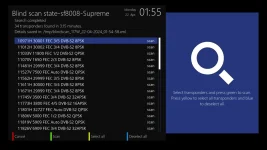
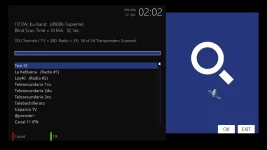
Blindscan or Scanning in general is an area where the outcome or performance can vary in enigma2 images. A scan comparison test of TNAP-5.1, OpneVix, and OpenATV has been done, and the results are similar except for the scan time. Scan tests were done 117w C and Ku bands. All 3 images were given the same Service Scan files to make things even. The blindscan plugin in OpenVix and OpenATV was modified for scan reports.
 
TNAP-5.1 Scan Times:
117w-C band -Blind Scan Time = 6 Min. 11 Sec.
245 Channels ( TV = 240 Radio = 5) 69 of 69 Transponders Scanned.

117w-Ku Band - Blind Scan Time = 7 Min. 52 Sec.
313 Channels ( TV = 280 Radio = 33) 32 of 32 Transponders Scanned.

tnap5.1-blindscan-tp.webp

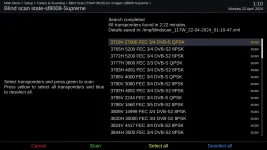
tnap5.1-blindscan-end.webp

tnap5.1-blindscan-ku-tp.webp

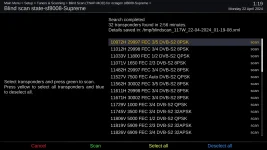
tnap5.1-blindscan-ku-end.webp


Scan results are attached.
 

Attachments

OpenVix Scan Times:
117w-C band - Blind Scan Time = 5 Min. 58 Sec.
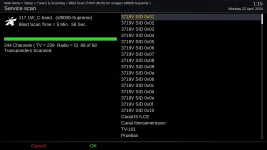
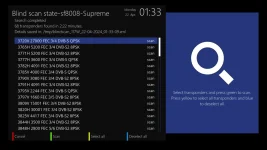
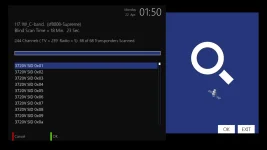
244 Channels ( TV = 239 Radio = 5) 68 of 68 Transponders Scanned.

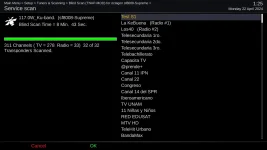
117w-Ku Band - Blind Scan Time = 8 Min. 43 Sec.
311 Channels ( TV = 278 Radio = 33) 32 of 32 Transponders Scanned.

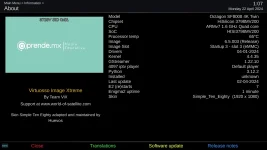
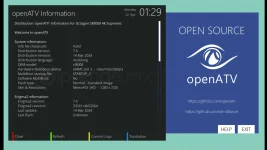
openvix-About.webp

openvix-blindscan-tp.webp

openvix-blindscan-end.webp

openvix-blindscan-ku-tp.webp

openvix-blindscan-ku-end.webp

Scan results are attached.
 

Attachments

OpenAtv Scan Times:
117w-C band - Blind Scan Time = 18 Min. 23 Sec.
244 Channels ( TV = 239 Radio = 5) 68 of 68 Transponders Scanned.

117w-Ku Band - Blind Scan Time = 10 Min. 02 Sec.
313 Channels ( TV = 280 Radio = 33) 34 of 34 Transponders Scanned.

openatv-About.webp

openatv-blindscan-tp.webp

openatv-blindscan-end.webp

openatv-blindscan-ku-tp.webp

Scan results are attached.

openatv-blindscan-ku-end.webp
 

Attachments

After seeing these results, I can only wonder WHY Rick Caylor advertises loading the SF8008 Supreme with OpenATV image for use in North America. FTA in North America requires a fast scanning receiver if you want to watch feeds.
OpenATV is Slow when it comes to scanning. And for icing on the cake, Rick claims to load the Designed-For-Hacking Define Operating system in another slot. I guess you need a hacking receiver to open all of those encrypted feeds that are meticulously posted.

It is what it is...:hhh:
 
You gotta' say one thing about OpenATV. Awesome out of box experience. I think stepping back a few is in order.
Performance issues like scanning. Initial setup similar for all E2 images. But one thing is for sure.
If you have a receiver with ATV running and slap the remote control next to your TV remote. There is little to no learning how to navigate through the array of buttons to get the most simple and straight forward things to happen.
Not everyone jumping into the FTA thing will have had 17 receivers or tried the mess of E2 image incantations. I think "somebody" is missing that.
The Germans are smart. And ergonomic.
OpenATV gives you that. Performance issues aside. And bells and whistles. I believe that they still shun the main one thing that makes satellite TV fulfilling.
Although it might appear that someone has perhaps made their own version of the ATV image. Maybe. I don't think it's that big of a deal.

Here in the CONUS. For us at least. Blind scanning is important. Not so much for a noob maybe. I stick every single blindscan result that has new transponders in my satellites.xml file.
And almost immediately when trying a new image. A backup of it gets stuck in tuxbox. And any other file system location that may contain it.
Why in the heck spend all of that time doing a repeat blindscan when you do try or happen to use ViX, TNAP.....? Well?

And since the subject was ATV. Being out of box friendly. A dude in another site was touting PureE2. ViX is my every day image now. I like it. The other 3 slots are loaded with.....
OpenATV 7-something, TNAP-whenever-I-used-it-last, and nothing. Blank.

If an E2 image has me hunting for buttons. Hitting Help for a keymap layout (ViX kinda' dropped the ball). If I may be so blunt. It gets shitcanned.
You know what is missing from PureE2? A rusty coathanger. You make what you want of that one.
Complicated Kodi-ish clone. And the touter of it ranting that you have to "learn it and forget what you've used".
BS. If I turn on der hot vasser. I vant hot vasser. Not a Heineken that's been in the sun for a week. Channel UP should give you the next channel up. Not a headache.
Punching Video better not give me Ren and Stimpy reruns.
The bin.

Christ. A Sony in the living room. A Visio in the bedroom. An old DLP with a color wheel-a-spinnin' in the garage. Turn it on. Choose a channel (easily and the same on each single one). And hopefully you catch the very, VERY tail end of the Taylor Swift halftime show on the game. On purpose!
Lol!!
Kirk out.
 
After seeing these results, I can only wonder WHY Rick Caylor advertises loading the SF8008 Supreme with OpenATV image for use in North America. FTA in North America requires a fast scanning receiver if you want to watch feeds.
OpenATV is Slow when it comes to scanning. And for icing on the cake, Rick claims to load the Designed-For-Hacking Define Operating system in another slot. I guess you need a hacking receiver to open all of those encrypted feeds that are meticulously posted.

It is what it is...:hhh:

Probably the Define image is used to help the folks that have yet to be comfortable with enigma images. Not knowing or caring what is under the hood of the image makes it easier for the non-enigma users to experience fta.
 
There is a group of people that will have problems with any fta receiver. I can understand having a simple operating system for someone to use, and can also understand having a simple operating system with media features.

What I don't understand is why someone who had to testify in court about SonicView satellite piracy would want to have a hacking system installed on the receivers they sell. Couple the hacking system you sell in the fta receiver with the fact that you run a forum that posts almost exclusively about encrypted feeds and you have a recipe for another court appearance. Most likely, nothing would happen, but it doesn't look good either.

It is what it is....:buttrock:
 
Attempts to fix the low symbol rate in the SF8008 Supreme are being made. There have been three hi-dvb.ko test drivers as of today, and none of them come close to the advertised symbol rate of 100. As previously mentioned, it has been shown the SF8008 Supreme has Avalink AVL6261C demodulator which is identical to the Edision MIO 4k demodulators. Personally, I think tjis is a wasted effort, but the SF8008 Supreme should work as advertised.

It seems whoever is making these test drivers has no way to check them, so the drivers are released to the FTA community for testing. All of this should have been done before the Supreme was released to the public, or a more modest and realistic low symbol rate of 1000 should have been advertised. Regardless, maybe some progress can be made in the low symbol rate area.

You can highlight the tuner in the receiver menus and get tuner information. What is shown as tuner information should reflect on what the receiver is capable of and not what you wish it could do.

tuner info.webp

Driver thread Link:
https://www.opena.tv/octagon-sf8008...tures-stand-immer-wieder-aktualisiert-64.html
 
Flashed to version 04-25-2024 and the (2-3 second) "tune failed" display when zapping channels disappeared in c band. Now the channel displays almost instantaneously. Great! But later returns and continues to slow down while using the receiver.

Can't say the same for ku band. When zapping channels on ku the display will freeze for about 3 to 4 seconds before the video displays. Sometimes up to 30 seconds. This happens on the same mux.

Example... Changing from 87 ku to 99 ku the screen freezes for about 30 seconds before the sat icon appears to inform of movement.

Switching back from a ku channel to a c band channel, the "tune failed" display is back for about 3 seconds. And sometimes the video will not display till 15 seconds or more. This happens on the same mux.

Also, during the setup wizard and do you want to install a channel list.....
if you select yes, the green screen appears and you have to go through the setup wizard procedure again and then select no or you will initiate the green screen loop.

Restored to 03-10-2024 version.
 
Flashed 04-26-2024....

Setup wizard is back to normal. Setup 101 C on tuner A and 99 ku on tuner B.
Did a manual scan on 101 c band - finished in 0.43 secs. and found 145 channels.
Did a manual scan on 99 ku band - finished in 2 min. 59 sec. and found 20 channels.

Deleted all channels from sats and rebooted.

Did a blindscan on 101 c band - found 13 xpdrs in 0.43 secs. and found 145 channels in 1 min. 0.35 secs.
Did a blindscan on 99 ku band - found 23 xpdrs in 1 min. 0.51 secs. and found 101 channels (tv = 19 + radio = 82) in 5 min. 0.45 secs.

Initial zapping in c and ku band is fast and also back and forth between c and ku bands plus no problems with rc response.

To avoid further setup of sat configs and blind scanning I copied (init 4) nims from 03-22-2024 settings file and corresponding lambedb to 04-26-2024 and rebooted.

Zapping starts to produce a slow down of display and rc key functions. At times it slows down up to 10 to 15 seconds of display freezing and yet randomly sometimes the zapping speed returns to a normal fast display. This happens on both c and ku bands either on the same mux or not.

Restored 04-26-2024 back to original 101 c and 99 ku setup and there is no problem with delayed screen or rc control response.
 
I say there is something not exactly right with the Supreme. I don't think the image is doing all of those tricks by itself. Maybe before my lifetime ends I will figure out why it slows down. And blindscan hangs both command line and when using the Plugin. Octagon is making efforts to improve the satellite dvb driver.

Anyway, if you have anymore TNAP images problems, please post them in the the thread for the image. I will see about getting us a different image such as modified VIX to test and see if the same problems exist.
 
"I don't think the image is doing all of those tricks by itself"

I don't believe so either... sometimes this receiver will do quirky things that I cannot replicate.

Thanks for your work.
 
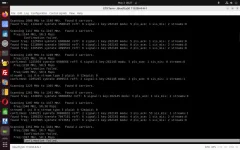
The SF8008 Supreme blindscans in 80MHz blocks. Large symbol rate transponders are found first, followed by lower symbol rate transponders. Shown below is a blindscan of 117w-Ku as seen through the rs232 terminal.

Screenshot from 2024-05-03 08-27-02.webp

The entire blindscan of this satellite as seen through the rs232 terminal is attached.
 

Attachments

Back
Top