TNAP-5-Test Thread

Status
Not open for further replies.
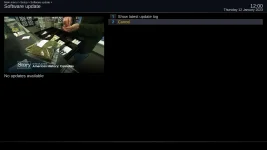
Is the video problem still there after the update? Thanks.
No. The video setup was crashing e2 on the initial setup of the image. So I skipped that stage, and went ahead with the initial setup. After the initial setup, I checked the audio/video menu and fond that it was set to HDMI/720p !!
So the problem of video occures after the flash, on the initial video setup.
Sorry for the misunderstanding.
 
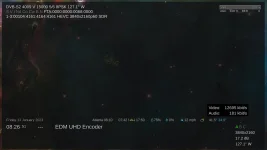
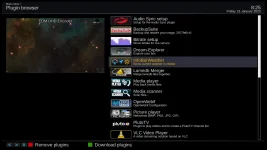
A new weather info bar has been added for OpenPLi skins. This new bar is shown below, and the plugin that is needed for it is also shown.

Also new for TNAP images is Lamedb merger. This plugin allows two lamedb or channel files to be merged.

infobar-wx_20230113082511.webp 1_0_1_68_3_1_9198FA9_0_0_0_20230113082652.webp
 
Forgot to mention that there is no splash screen on start up, but I guess it's part of the "cosmetics" of the image to be fixed.
 
The splash screen is working on other receivers. Edision MIO/MIO+ will need some adjustments, such as a different format.
 
A new weather info bar has been added for OpenPLi skins. This new bar is shown below, and the plugin that is needed for it is also shown.

Also new for TNAP images is Lamedb merger. This plugin allows two lamedb or channel files to be merged.

View attachment 17595 View attachment 17596

I'd like to give this new weather info bar a try. I currently have the Weather MSN Plugin installed, do I need to remove it first to avoid any conflicts?

Thanks.
 
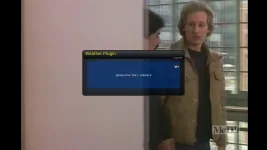
I downloaded the plugin but I can't get it to work.

After entering my zip code and language, I get this error box

Weather Plugin Error.webp

Maybe I entered the language code wrong, I tried e, en, en-us, and english.
 
The InfoBarWeather plugin should not be available in TNAP 4.2. This thread is the TNAP-5 Test Image discussion. The InfoBarWeather plugin is available in TNAP-5.
 
Just installed TNAP-5 into Slot 1 and the same thing is happening to me. When I click Satellite Blind Scan on the GUI nothing happens. If I telnet into the box and goto /usr/bin and run ./blindscan the program works and finds the transponders.

Executive

EDIT -> msg 37 from this thread fixed the issue.
 
Last edited:
Did you do an online update after the install???

Corrections to the image have been made. You have to do an online update or a 1 line command in telnet: opkg update && opkg upgrade
 
Status
Not open for further replies.
Back
Top