
- Home
- Forums
- FTA Set Top Box Discussions/Files
- FTA Set Top Box Discussions
- The North American Project E2 Image Discussions
You are using an out of date browser. It may not display this or other websites correctly.
You should upgrade or use an alternative browser.
You should upgrade or use an alternative browser.
TNAP-7 Image Discussion
- Thread starter el bandido
- Start date


el bandido
TNAP-Images
Thanks! If you guys will provide some time, it will be fixed.
el bandido
TNAP-Images
I expect the Freezing issue has been solved. Look for an online update or reflash the image when a new one is available. Also. Do you have a Ustym4kPro? What tuners does it have?Hello, I took my SF4008 out of the closet, dusted it off, and loaded TNAP 7. After a few issues with the LAN, I started looking into the SF4008 TNAP. Apparently, you can’t change the driver on the Si1662 like you can with the MIO4K edition, which has a different tuner. There are a few issues when accessing the “Device Manager” menu and the EPG menu—it freezes, forcing me to turn off the power to regain access to the receiver. Just teething problems.

Same issue for osmio4k+, but look at the fix in post #788, and after reboot you'll get the video setting options.same problem after install 20261017 on MIO+ 4K
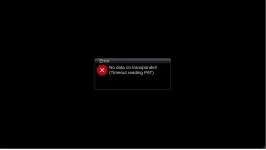
Took the SF4008 off the shelf and installed TNAP 7. Installed the videomode plugin to restore the video setup menu and configured everything after reboot. Set up the tuner and blind scanned in 101w C band. Blind scan seems to work great but the only thing watchable are the JTV channels on 4140 H. Tuning in to METV yields a blank screen with no audio and the error message picture here:
Gave it a shot on 99w since there are some known low SR transponders on KU and blindscan missed them all, but they scan in fine with a manual scan.If you update the SF8008, you should find the 2155D version now has the 0 option for low symbol rates but apparently it cannot be made to work. It will not hurt to try and see what if anything you get below a 1000 symbol rate when the low step is set to 0. Once the low symbol rate is set to 0, another value appears to allow for the start of the low symbol rate search. This value should be between 100 and 350.
The frequencies have been organized in blindscan for the SF8008 2166D models. There were transponders being skipped on 101w and some other satellite positions due to wrong frequencies being assigned to transponders, usually with a 30,000 or sometimes less symbol rate.
It is unknown to me if the radio channels play properly on the SF8008 Si2166D models. I have no way to check the sound on this model.
Improvements can be made to the Ustym4kPro model which is a popular TNAP receiver. But no one that owns it bothers to report or comment about it in this thread. Server logs show a lot of Ustym4K Pro activity.
It is a challenge to get someone that knows how or has the patience to debug receiver receiver issues. Usually at best someone will push the like button on a comment or post and that is the end of it. When problems or issues are mentioned or reported, lots of times they are cryptic or vague descriptions. Fixing something can take two steps on most occasions with the first step figuring out what the problem is and the second step is looking for a solution for the problem or issue.
Some of these blindscan, usb tuner, and audio fixes will be outright boring if you participate in the debug because data has to be collected so the problem can be understood enough to fix it. People will complain about something not working then suddenly decide that it is not really that important to get it fixed and withdraw from the project once they see information needs to be collected. This wastes both time and resources, but happens a lot. They want it fixed, but do not want to be troubled themselves with the repair steps.
These FTA receivers will only work as good as the efforts that are put into them. A special THANKS goes to all who participate!
el bandido
TNAP-Images
Look carefully at what you are doing. If there is a scan problem then post the scan logs. I have no clue without a scan logs. Every blindscan creates three logs which will be default of the receiver in /tmp. You can make a folder to grab the ServiceScans, but the found transponders will still be in /tmp of the receiver files. Please provide all scan files when you have a scan problem. Thanks.Took the SF4008 off the shelf and installed TNAP 7. Installed the videomode plugin to restore the video setup menu and configured everything after reboot. Set up the tuner and blind scanned in 101w C band. Blind scan seems to work great but the only thing watchable are the JTV channels on 4140 H. Tuning in to METV yields a blank screen with no audio and the error message picture here:
View attachment 20337
As for your problem on 101w, I cannot duplicate it. I would guess that you do not have a fresh install and instead imported something that is not compatible. Or it may be that I am on a different version, and the original version has this issue?? Anyway scan logs for scan problems Pleeze! adding the lamedb in /etc/enigma2 is a plus. Thanks.
Version 1 SF8008 low symbol rate blindscan results for 99w KU. Start symbol rate set to 00 with the rate floor at 100. Didn't find any of the known low SR transponders and it missed the NBC transponder at 11760 H. Hope this is helpful.
Attachments
Changed over to tuner B on the SF4008 and now all unencrypted transponders on 101W are coming in fine. It's been in the closet for so many years; I have a vague memory of an issue with tuner A. Thanks for doing what no one else could and giving this receiver a new lease on life. It doesn't suffer from the shudder after a channel change like the SF8008 does and so far, the blind scan looks fantastic!Look carefully at what you are doing. If there is a scan problem then post the scan logs. I have no clue without a scan logs. Every blindscan creates three logs which will be default of the receiver in /tmp. You can make a folder to grab the ServiceScans, but the found transponders will still be in /tmp of the receiver files. Please provide all scan files when you have a scan problem. Thanks.
As for your problem on 101w, I cannot duplicate it. I would guess that you do not have a fresh install and instead imported something that is not compatible. Or it may be that I am on a different version, and the original version has this issue?? Anyway scan logs for scan problems Pleeze! adding the lamedb in /etc/enigma2 is a plus. Thanks.

stephan94
Legit VIP
I am waiting for the update to become available, hoping that it will work. Yes, I have an Ustym 4K Pro with an Si2166D tuner (see image). It’s the older generation.I expect the Freezing issue has been solved. Look for an online update or reflash the image when a new one is available. Also. Do you have a Ustym4kPro? What tuners does it have?
Have a good day.
Attachments

el bandido
TNAP-Images
I think the sf4008 blindscan rivals any FTA receiver available. For 99w, your dish is a bit small or out of tune. That is why you are missing transponders. I am fortunate to have a 1.2 meter motorized dish for ku and also a 2.4 fixed meter dish for ku. IMO, there is nothing wrong with the sf4008 blindscan on 99w ku. Your dish struggles to produce a clear enough signal to receive and log some of the transponders. Hence "hit and miss" An 8psk 5/6 transponder requires a good bit of clean signal to be recognized. 99w and 101w have a lot of noise.Changed over to tuner B on the SF4008 and now all unencrypted transponders on 101W are coming in fine. It's been in the closet for so many years; I have a vague memory of an issue with tuner A. Thanks for doing what no one else could and giving this receiver a new lease on life. It doesn't suffer from the shudder after a channel change like the SF8008 does and so far, the blind scan looks fantastic!
Attached is a blindscan of 99w ku using 2.4 meter dish. Look at the signal strengths and you will see what I am talking about.
Attachments
el bandido
TNAP-Images
I am waiting for the update to become available, hoping that it will work. Yes, I have an Ustym 4K Pro with an Si2166D tuner (see image). It’s the older generation.
Have a good day.

Yes, the 90cm dish is a compromise at best and is peaked for maximum signal with a spectrum analyzer. All my KU used to be on my 2.6m and it was fantastic but when 5g came along and forced the removal of the Corotor, KU went to what I had laying around. I'm looking for an affordable light weight 1.2m to use for KU until C band is gone at which time the 2.6m will be my KU king.I think the sf4008 blindscan rivals any FTA receiver available. For 99w, your dish is a bit small or out of tune. That is why you are missing transponders. I am fortunate to have a 1.2 meter motorized dish for ku and also a 2.4 fixed meter dish for ku. IMO, there is nothing wrong with the sf4008 blindscan on 99w ku. Your dish struggles to produce a clear enough signal to receive and log some of the transponders. Hence "hit and miss" An 8psk 5/6 transponder requires a good bit of clean signal to be recognized. 99w and 101w have a lot of noise.
Attached is a blindscan of 99w ku using 2.4 meter dish. Look at the signal strengths and you will see what I am talking about.
The SF4008 always had the potential to be a great receiver but was basically useless without blindscan. There are still plenty of other issues to address with TNAP 7 running on it. One I found today is with the Signal Finder routine; the box becomes extremely sluggish and unresponsive after entering it. You can get out with repeated presses of the exit button.
el bandido
TNAP-Images
Excellent! Please report any problems or issues. I will fix an updated driver image for the Ustym4kPro SI2166D for you to test when I have time. Probably later this week. Thanks.
stephan94
Legit VIP


el bandido
TNAP-Images
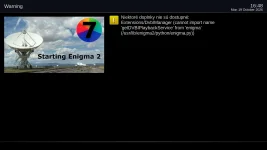
WHY? (I have no idea what this plugin does or does not do)
What does this plugin do or what services does it provide? Why is this a TNAP image problem and not a plugin developer problem?
Fresh flushed version 019, and during the initial setup the video settings had been fix.
Now just some "cosmetics" regarding the internet connection:
I still do not understand the confusion with internet connection: 1st message is "connected succesfully", then "does NOT have an internet connection", and finally status shows "connected" ?!?
Does this issue affects the the download of extra package ?
Now just some "cosmetics" regarding the internet connection:
I still do not understand the confusion with internet connection: 1st message is "connected succesfully", then "does NOT have an internet connection", and finally status shows "connected" ?!?
Does this issue affects the the download of extra package ?
Attachments


el bandido
TNAP-Images
Extra packages i do not think really applies to us. I have not really looked to see what extra packages is supposed to be. Thanks for going through this part of the setup as I rarely see it! Then the internet connection is working or not working but is working can confuse. It has been corrected before, but reverted back to this state after the Network Update it seems. I will try to fix it soon. If not remind me.