TNAP-7 Image Discussion

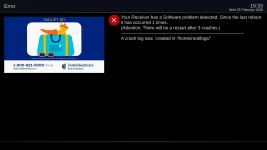
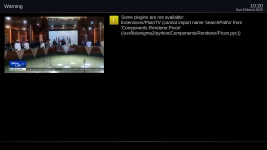
`Your crash exists because the usb drive was inserted, then removed, then queried.
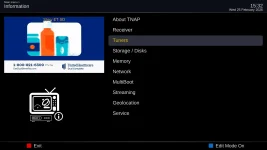
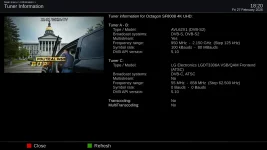
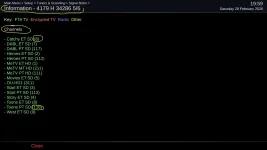
The logs show Someone pressed MENU → Information → Receiver Information (OK key). This triggered Menu.py:497 okbuttonClick → runScreen → openDialog → StartEnigma.py → instantiateDialog → doInstantiateDialog → dialog.applySkin().

Bottom line: The usb drive was read in the receiver at one point, then became disconnected. Carefully check your system if you did not actually remove the usb drive as it lost contact with the receiver and could not be read when Receiver Information was accessed.

A solution to stop the crash has been added. Attempts to make the system smarter when drives cannot be read has also been added. We will see....
 
Crash files are wanted and needed. If the image is broken then it needs to be fixed!
It should be noted that old or stale crash files from previous images usually do not provide much information. Crash files should be current if at all possible.

The TNAP-7 image is moving into a clean-up of sorts where things that do not work exactly right are being looked at. Most of the receivers that are built in TNAP have limited bluetooth capability which we want to add if possible.

The epg import currently loads after every enigma2 restart or reboot of the receiver. The reloading of epg is not needed after every enigma2 restart or reboot. So adjustments to the epgimport plugin code have been made to stop unwanted, automatic reloads of epg.

After a reboot, the user should immediately see the full epg if it has been previously loaded starting in images dated after 0226 (02-26-2026).

02-26-2026-tnap-epg_20260226221009.webp
 
SF8008 flash on line to 02-25......

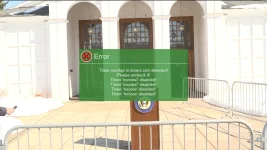
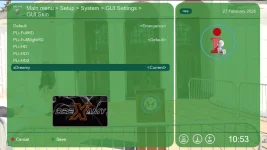
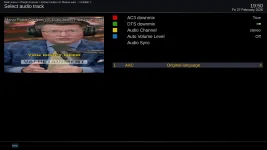
Does not do a full restore as in past images. Default skin is now Xdreamy upon boot up. Timer error display still exists. You tube has a problem with display on all resolutions and audio is garbled.
 

Attachments

  • autoinstall.log
    autoinstall.log
    14.3 KB · Views: 1
  • Enigma2_debug_2026-02-27_18-46-19.log
    Enigma2_debug_2026-02-27_18-46-19.log
    54.2 KB · Views: 1
  • 2 - GlamourAura-MaxyFHDpli-CinogriPLI skins missing and not restored.webp
    2 - GlamourAura-MaxyFHDpli-CinogriPLI skins missing and not restored.webp
    55.8 KB · Views: 1
  • 1 - Timer error still exists.webp
    1 - Timer error still exists.webp
    72.5 KB · Views: 1
  • 3 - Youtube display problem in ALL resolutions plus audio is garbled.webp
    3 - Youtube display problem in ALL resolutions plus audio is garbled.webp
    80.5 KB · Views: 1
Your autoinstall log points to a restore that does not belong in TNAP-7. For example, None of these are on TNAP-7 feeds:
pid-extractor
python3-2to3
'servicescan-tsduck

Most of your autoinstall failed outright. I do not have this problem when using a restore made with the actual TNAP-7 image.

The timer.... We need to look at as I have not used a timer recently. What exactly is wrong with the timers, and what do they do or not do?

The Default skin is also the Emergency skin. This can be seen clearly in your screencap. The Default skin should probably be changed to something more presentable besides PLi-FullNightHD , but the Emergency skin-Default skin is what you should see if the image is installed "Clean".
What skin is actually shown will depend on the settings file in the autorestore/autoinstall package.

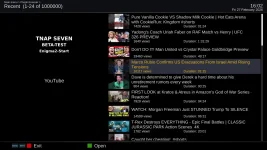
YouTube works correctly and plays correctly on the videos I tested. Please provide some video names that are problematic. The YouTube Plugin is an addon and not an actual part of the image, but we want it to work correctly for everyone.
 
Last edited:
Your autoinstall log points to a restore that does not belong in TNAP-7. For example, None of these are on TNAP-7 feeds:
pid-extractor
python3-2to3
'servicescan-tsduck

Most of your autoinstall failed outright. I do not have this problem when using a restore made with the actual TNAP-7 image.

The timer.... We need to look at as I have not used a timer recently. What exactly is wrong with the timers, and what do they do or not do?

The Default skin is also the Emergency skin. This can be seen clearly in your screencap. The Default skin should probably be changed to something more presentable besides PLi-FullNightHD , but the Emergency skin-Default skin is what you should see if the image is installed "Clean".
What skin is actually shown will depend on the settings file in the autorestore/autoinstall package.

YouTube works correctly and plays correctly on the videos I tested. Please provide some video names that are problematic. The YouTube Plugin is an addon and not an actual part of the image, but we want it to work correctly for everyone.
Did a new clean flash on line without a backup. Went through the wizard procedure and didn't go any further making any changes to setup.

Current default skin is Pli-FullnightHD and video is 2160 multi.

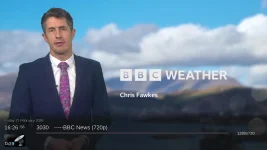
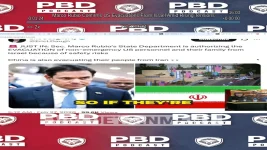
Started Youtube and selected the Marco Rubio video and the video displays with bad garbled audio. Couldn't exit from video because menu button and exit buttons stopped working. Had to telnet to reboot receiver.

Rebooted and tried a 3rd party 720 iptv feed and there was no display (black screen) but the audio worked fine. Again, couldn't exit from video because menu button and exit buttons stopped working. Had to telnet to reboot receiver.

After reboot changed video settings from 2160 (was default upon bootup) to 1080 multi and selected the same video on youtube. The video distortion and garbled audio is still present. But I was able to exit since the menu and exit keys worked again.

Tried the same 3rd party 720 iptv feed and display and audio worked fine. Also
the menu and exit keys worked.

Looks like the 2160 video setting is causing the problems for me.
 

Attachments

  • 1 - Youtube selection.webp
    1 - Youtube selection.webp
    133.3 KB · Views: 1
  • 2 - Marco 307.webp
    2 - Marco 307.webp
    170.2 KB · Views: 1
  • 3 - Iptv feed 658.webp
    3 - Iptv feed 658.webp
    60.8 KB · Views: 0
First, That video will never properly display on the fta receiver because of its original format. See:

I have no problems with the audio. The multi setting you are using (2160 multi) may be causing problems.

What are the timer issue or issues?


rubio-sf8008_20260227195019.webp
 
First, That video will never properly display on the fta receiver because of its original format. See:

I have no problems with the audio. The multi setting you are using (2160 multi) may be causing problems.

What are the timer issue or issues?


View attachment 19685
Since video and audio works fine with all other iptv sources I am leaving the setting at 1080i multi.

For youtube had to change the media player from default to exteplayer. This will now display and output the audio correctly without any distortion.

I will delete the timer completely and start from scratch tomorrow and see what happens.

I have updated to 02-27 image.
 
Back
Top