TNAP-7 Image Discussion

Your 3 crash logs are empty and do not show any debug info.
The terminal commands show no usb drive at all. Where were these drives formatted last?
A Kingston FAT32 stick formatted on Windows without a volume ID will have no UUID. Our mount.sh silently refuses to mount it.
I will assume that is the problem and will adjust the build to be a bit more lenient. I have a pair of usb drives in my osmio4k and do not have any problems with them. But I do not use Windows either.
 
All my usb sticks were formated on laptop with win 11, & all have an id. I do not know of other way to be formated.
Why there is no such issue with other images (vix, atv,obh)?
 
I cannot answer to WHY on other images as I am only really concerned with this image. It does help to know other images work, but at the same time, my receiver works with a similar Kingston drive. The first question is: Are you 100 percent sure that drive is installed in the receiver? The receiver does not acknowledge your usb drive. So let's see if we can solve this riddle, which is my Kingston works and yours does not. First and foremost, 100 percent verify the stick is properly installed in the receiver.

In terminal, what is the output of lsusb?
lsusb

Please Carefully run these in order. Telnet commands are in black bold:
# Step 1 - baseline (stick already inserted)
lsblk
cat /etc/fstab
ls /media/

# Step 2 - enable logging, then unplug and replug the stick
touch /etc/udev/udev.debug
sleep 2
# --- unplug USB stick ---
sleep 3
# --- replug USB stick ---
sleep 5
cat /tmp/udev.log

If the above steps can be done then the results should show the problem or issue. Thanks.
 
All my usb sticks were formated on laptop with win 11, & all have an id. I do not know of other way to be formated.
Why there is no such issue with other images (vix, atv,obh)?
Are Partition type they formatted as MBR or GPT ?
e.g. my USB (0781:5567)
Code:
[Sat Apr 11 17:15:40 2026]
Rufus x64 v4.13.2316
Windows version: Windows 11 Pro x64 (Build 29560.1000)
Syslinux versions: 4.07/2013-07-25, 6.04/pre1
Grub versions: 0.4.6a, 2.14
System locale ID: 0x041B (sk-SK)
Detected installed Windows Language Pack for 0x0409 (English (English))
SetLGP: Successfully set NoDriveTypeAutorun policy to 0x0000009E
Localization set to 'en-US'
Found USB 2.0 device 'SanDisk Cruzer Blade USB Device' (0781:5567)
Found USB 2.0 device 'Realtek RTL9210B-CG USB Device' (0BDA:9210)
NOTE: This device is a USB 3.1 device operating at lower speed...
2 devices found
Disk type: Removable, Disk size: 14.9 GB, Sector size: 512 bytes
Cylinders: 1945, Tracks per cylinder: 255, Sectors per track: 63
Partition type: MBR, NB Partitions: 1
Disk ID: 0x00000000
Drive has a Zeroed Master Boot Record
Partition 1:
  Type: FAT32 LBA (0x0c)
  Detected File System: FAT32
  Size: 14.9 GB (16005447680 bytes)
  Start Sector: 32, Boot: No
Found 5 additional UEFI revocation filters from remote SBAT
Found 4 active Secure Boot certificate entries from remote
Found 1 revoked Secure Boot certificate entries from remote
 
@EnoSat, I have no idea where to find Slovak for TNAP

Also I need a crash log for the skin failure (/home/root/logs). Thanks.

As for the usb drive, not being recognized, our code that is used to recognize the usb is almost identical to OpenAtv.
 
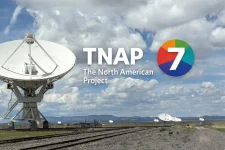
You can do whatever you want. At some point though, probably soon, this will turn into a regular image. A bootlogo artist would be nice. Unfortunately none seems to exist for TNAP
 
Looks Good! Applause! That will work providing it displays correctly on Edision receivers.
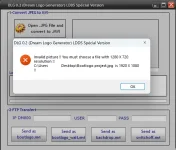
The image needs three, 1 for Booting with that word written on it. Another that says Starting Enigma2, and a third for radio channels.
 
Back
Top