el bandido
TNAP-Images
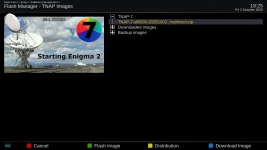
The latest image is 1002. You have 0916. Flash 1002 or turn the update notifier off.

Turns out that I had to initialize the thumb drive since it would not mount. Never had this problem during earlier upgrades including earlier TNAP7 releases. Recordings are working fine now.Excellent! Thanks.
That narrows this down considerably. The next test should be:
1. Stay on Heroes ET SD.
2. Make a manual recording for 30–60 seconds.
3. Verify the .ts is created and plays.
4. Then create a brand-new one-time timer for Heroes ET SD, starting 1–2 minutes later and lasting 1 minute.
Verify these recordings work and are in the proper location.
When I had 0916 installed, I did the huge online update (190? updates) and this issue, which I used to get, returned. Also, an issue where my /media/usb path was named /media/MASTER returned. I thought the easiest way to resolve was just wait until a new image was posted. This happened with 1002. I installed that image and both issues disappeared. 1002 works fine. My conclusion: don't do updates when the number of updates is large. Just back up settings and the existing image then do a fresh image install in a different slot. The only thing manual required is to re-install the plugins you like which is pretty simple.Whenever I do a Full Restart or Restart Enigma I get the message: "[4] updated package available:...
A complete fresh install seem to have corrected the problem.I'll do a fresh install and report back.

@ the red Highlighted. I got the same message on my Edision MIO 4K, after the October 2nd upgrade too!After upgrading to TNAP7 (October 2, 2026), I lost the ability to keep the HDD mounted. I can mount the drive through the setup menus, make a manual recording, reboot, did another manual recording but got a message that stated that no HDD found or isn't initialized. I can manually mount the HDD, do a recording but a reboot won't mount the drive.

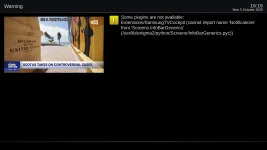
Samsung TV still has a problem. Thanks.Samsung TV should be fixed. Let me know if it is not. Doing an online update should fix the usb drive problem.
Samsung TV plugin is working again with the 10/05 image and today's 10/06 online update.Samsung TV still has a problem. Thanks.