Edision MIO RS232 Connection

EB. Of course the data rides on a positive/negative voltage. A flat line could contain no bitstream information. The same as if you look at the DISEqC protocol.
The original RS232 specs called for -3 to 15 volts/ +3 to 15 volts. Now usually the modulated square wave rides at either +/- 3 or 5 VDC peak to peak. That I know.
To flash routers, HDD firmware, and on occasion Nvidia GPU's to tweak them for Mac repairs. Yup. Apple takes a standard, every day video card and mods the firmware to work in their pc's.
And if on a Saturday evening your Mac blows the video card, the genius store closes, and you hit the computer store for a new card. It won't work right. Things like power management, overheating happens. Once you dig out the correct firmware and burn it in the card. It plays nice. I hate Apple anything.
Anyway. To do most of that I've used the serial console and an Arduino for serial flashing.

I don't think the bootloader is gone now since I get data stream bursts on the TX line.
But If the boot screen image binary is in fact corrupted for some reason, I could pull that image file and run a binary compare to what is in the flash image and, remember. When Openatv wrote it's own, running the USB Edision boot screen flash did work in the past.
FYI. If you dig up that flash file and change the .bin file to .bmp. It opens right up on your pc and there you have it. The Edision logo I was looking for.

And yeah. I have a Dreamlink and Linkbox with DB9 ports and have actually serial flashed them in the past. I think I used TFTP for that.

Don't really know how you sweet-talked Edision for the tuner drivers you worked on for the Mio. But when I contacted them they were eager to give me some to try and report on.
Maybe you have the ability to get in touch and have a little influence.

I'll let this set idle until it;s time for a bottle of Advil. But one thing for sure. You see little pokey-hole ports on lots of things. In the book it says for future expansion or not used.
But when someone says for recovery explicitly in the user manual and provides no info on how to use it. Thats effed up.
 
Keep things simple. It's easier that way. Forget about voltages. Forget about what happened to some router somewhere. Just remember RX, TX, and GND. Connect the three wires in the correct order from the computer's serial port to the Edision's RS232 port and post the data output. Then we can see what needs to be done.

:smoke:
 
Most of the Mio4k failures reported is the box has power and front display lights up but just wont start enigma2 or has an hdmi problem. I don't think any were boot loader related. That is what happened to mine. The one I have with the hdmi problem displays no video at all where others have reported the splash screen shows but no video after boot so that tells me different failures with different chips. I am no expert.

My original one had a bootloader problem that just came out of nowhere. EB and I couldn't fix it after trying quite a few things, and luckily, it still had two months warranty to go. So, Brian of Titanium sent me a new one. Haven't had any issues with the replacement so far.
 
My original one had a bootloader problem that just came out of nowhere.r.

If you are referring to the problem in the thread shown below, Then you Did Not have a bootloader problem.
https://legitfta.com/forum/showthread.php?26989-Trouble-with-my-Os-Mio-4k-receiver

Some of this stuff probably needs probably needs clarifying.
The bootloader in most enigma2 receivers will be right at the front of the start process. If the Bootloader doesn't start, Nothing Happens. No putty for Windows users, No RS232 data, no nuthin'. I posted an example file a while back so you could see how things load. The bootloader version is referenced on line#3, and is described in detail starting with line#78. So RS232 is not going to show much of anything if the bootloader is Not Working.

Enigma2 receivers are not setup the same way ALI receivers and Closed Source appliance type fta receivers are setup. The bootloader in the enigma2 receiver is separate and does not get corrupted in the same way Linkbox and Ali receivers do. You don't drag out a loader and flash a bin file like you do on Linkbox and Ali receivers either. Usually when the bootloader dies in an enigma2 receiver, there was a hardware issue that caused it OR some idiot loaded the wrong bootloader for the receiver in the hopes of changing something. We are all idiots at some point as that is how you learn.
 
If you are referring to the problem in the thread shown below, Then you Did Not have a bootloader problem.
https://legitfta.com/forum/showthread.php?26989-Trouble-with-my-Os-Mio-4k-receiver

Some of this stuff probably needs probably needs clarifying.
The bootloader in most enigma2 receivers will be right at the front of the start process. If the Bootloader doesn't start, Nothing Happens. No putty for Windows users, No RS232 data, no nuthin'. I posted an example file a while back so you could see how things load. The bootloader version is referenced on line#3, and is described in detail starting with line#78. So RS232 is not going to show much of anything if the bootloader is Not Working.

Enigma2 receivers are not setup the same way ALI receivers and Closed Source appliance type fta receivers are setup. The bootloader in the enigma2 receiver is separate and does not get corrupted in the same way Linkbox and Ali receivers do. You don't drag out a loader and flash a bin file like you do on Linkbox and Ali receivers either. Usually when the bootloader dies in an enigma2 receiver, there was a hardware issue that caused it OR some idiot loaded the wrong bootloader for the receiver in the hopes of changing something. We are all idiots at some point as that is how you learn.

Right from Brian, who got permission from Edision themselves for warranty replacement after he sent them some data he pulled from my old receiver:

Quote from his email:

"Hello Michael,

Edision has approved for warranty replacement. This is likely a boot loader failure.

Will ship out a replacement STB tomorrow. Sorry for the delay."

--
Best Regards!
Titanium Satellite Support - Brian Gohl - AI6US
http://www.TitaniumSatellite.com
Telephone: +1 (530) 652-4405
 
Right from Brian, who got permission from Edision themselves for warranty replacement after he sent them some data he pulled from my old receiver:

Quote from his email:

"Hello Michael,

Edision has approved for warranty replacement. This is likely a boot loader failure.

Will ship out a replacement STB tomorrow. Sorry for the delay."

--
Best Regards!
Titanium Satellite Support - Brian Gohl - AI6US
http://www.TitaniumSatellite.com
Telephone: +1 (530) 652-4405

Remember the telnet log showed no frame buffer. So the Mio4k did boot up, just wouldn't start enigma2. My first Mio4k did the same thing and I was thinking it was probably a Video memory problem but I really don't know.
 
I operate under the policy that anything is possible. Would like someone to explain how the bootloader is dead and the receiver boots. You had a hardware failure of some type, but your bootloader was alive.

If you can get files out of the receiver or read files that are in the receiver, the bootloader has to be doing something. This would be similar to someone saying "The BIOS is dead in my Windows computer, but it still boots and I can read files". If the bootloader is dead in an enigma2 fta receiver, you are not going to get the word "Boot" or anything else displayed on the screen. The bootloader is the first thing to start. Look at the log that is in this thread.
 
Oh. Don't get all uppity now. lol.
I didn't have a hardware failure. All happened while attempting to get the stinkin' factory boot screen back.
Instead of the openatv logo that precluded every image splash screen in every slot. Including your incantation. Which is pretty by the way.
But yours doesn't write the boot screen.
A man familiar more with programming than fixing the stuff that you program software for would more likely think.....
"Hmmm....openatv....cold booting the receiver.....and what used to be the factory boot logo.....is now their branded one. WTF??"
Yeah? Right? I mean. There's a file here to fix it. And it works.
Maybe I have a glitchy bit or 6 on my USB?? Maybe I need to either do the equivalent of scandisc? And identify bad bits and mark them
Or (and I hesitate these things in forums) put on the heaviest boots with the hardest heels I got and stomp the muddafukka' !!!

Nope. No "Boot". Zip, zilch, zingo. After the flash process of restoring the boot logo sailed thru.

Dude. I'm doing a crash course here. I ain't no programmer. And what do they do? Write "perfect code" every time, all the time. And anything that happens is the user's fault.
I got an issue. Nobody has a clue. Not one iota here. How to use the serial interface to do nuttin'.
But I axed. And together maybe we will learn something.
Did you get curious and slap your cable in a box hanging around the lab there and see what boot text you get in a terminal? I will when my cable comes in.
Did I learn anything today? I learned that Microsoft itself is writing code to disable FTDI chips in firmware. And in an attempt to bork chinaclone, fake chips. Are killing legitimate FTDI cables, dongles.
And the good guys are circumventing it by providing firmware to burn to make them work again.
Yeah.

And a little story. For you.
Years ago in my previous career. A software update came out. Mandatory. For postal sorting equipment. As a mail presorting facility adhering to USPS rules and regulations. The software was date stamped.
No rolling back. After a certain date, older versions would not work.
Like a good guy. I did my duties. One machine refused to play nice. Hours, days, capturing logs, emailing, on the phone. Engineers and software engineers saying they 'never heard of that'. Referring to the thing that was happening.
And as you may have hinted. I was the idiot. I was crazy.
The oweer, CEO. The guy I answered to. The one who asked me once how everything was running. With the reply of.
I'm your Ex-Lax. With a twisted look back from him.
"I keep your shit running".
So he lividly called the company who vended the software and supported the machinery and had a senior engineer next flighted out from Houston.
Jeff. Cool dude. Had one of those English driving caps...what are they called? For every day of the week. Quiet but smarter than who knows.
And as he rolls in he heads to the machine and starts on it immediately. In a bit duplicated the glitch.
And was as puzzled as me. Looking at me once in awhile with that wtf look.
So, Jeff. Am I stupid? Am I crazy? Because that's what <insert name of the yaznook engineer here> said to me rudely.
....He got demoted because it was in a conference call and verboten. But I could take it!
Kind of apologetically responded. Nope, not at all.
And the Ex-Lax eventually kicked in and the damned software played nice after a few logs and .dll patches.

Have a beer. Fire that bird up and go for a blast. A quarter tank oughtta' do it. Damn. Spin one up if that's what it takes.

Brick or no brick? That is the question.
I gotta' go listen to my bangles tapes. lol.
 
Last edited:
Oh. Don't get all uppity now. lol.
I didn't have a hardware failure. All happened while attempting to get the stinkin' factory boot screen back.
Instead of the openatv logo that precluded every image splash screen in every slot. Including your incantation. Which is pretty by the way.
But yours doesn't write the boot screen.
A man familiar more with programming than fixing the stuff that you program software for would more likely think.....
"Hmmm....openatv....cold booting the receiver.....and what used to be the factory boot logo.....is now their branded one. WTF??"
Yeah? Right? I mean. There's a file here to fix it. And it works.
Maybe I have a glitchy bit or 6 on my USB?? Maybe I need to either do the equivalent of scandisc? And identify bad bits and mark them
Or (and I hesitate these things in forums) put on the heaviest boots with the hardest heels I got and stomp the muddafukka' !!!

Nope. No "Boot". Zip, zilch, zingo. After the flash process of restoring the boot logo sailed thru.

Dude. I'm doing a crash course here. I ain't no programmer. And what do they do? Write "perfect code" every time, all the time. And anything that happens is the user's fault.
I got an issue. Nobody has a clue. Not one iota here. How to use the serial interface to do nuttin'.
But I axed. And together maybe we will learn something.
Did you get curious and slap your cable in a box hanging around the lab there and see what boot text you get in a terminal? I will when my cable comes in.
Did I learn anything today? I learned that Microsoft itself is writing code to disable FTDI chips in firmware. And in an attempt to bork chinaclone, fake chips. Are killing legitimate FTDI cables, dongles.
And the good guys are circumventing it by providing firmware to burn to make them work again.
Yeah.

And a little story. For you.
Years ago in my previous career. A software update came out. Mandatory. For postal sorting equipment. As a mail presorting facility adhering to USPS rules and regulations. The software was date stamped.
No rolling back. After a certain date, older versions would not work.
Like a good guy. I did my duties. One machine refused to play nice. Hours, days, capturing logs, emailing, on the phone. Engineers and software engineers saying they 'never heard of that'. Referring to the thing that was happening.
And as you may have hinted. I was the idiot. I was crazy.
The oweer, CEO. The guy I answered to. The one who asked me once how everything was running. With the reply of.
I'm your Ex-Lax. With a twisted look back from him.
"I keep your shit running".
So he lividly called the company who vended the software and supported the machinery and had a senior engineer next flighted out from Houston.
Jeff. Cool dude. Had one of those English driving caps...what are they called? For every day of the week. Quiet but smarter than who knows.
And as he rolls in he heads to the machine and starts on it immediately. In a bit duplicated the glitch.
And was as puzzled as me. Looking at me once in awhile with that wtf look.
So, Jeff. Am I stupid? Am I crazy? Because that's what <insert name of the yaznook engineer here> said to me rudely.
....He got demoted because it was in a conference call and verboten. But I could take it!
Kind of apologetically responded. Nope, not at all.
And the Ex-Lax eventually kicked in and the damned software played nice after a few logs and .dll patches.

Have a beer. Fire that bird up and go for a blast. A quarter tank oughtta' do it. Damn. Spin one up if that's what it takes.

Brick or no brick? That is the question.
I gotta' go listen to my bangles tapes. lol.

It is also possible there was a hardware failure during that boot up after that splash screen flash. You said it started booting then hung at 50%. That tells me enigma 2 was starting but something happened.
 
Good recovery link, but it's Putting the cart before the horse. Sort of like window shopping without any money.

It all starts with making the RS232 connection and reading the data (if any). If you don't have RS232 capability, then it is hard to get any further with the recovery process...

Almost all of the recovery stuff is going to be at least 20-30 years old. A Good Computer with a real com port, running Windows XP is usually a very good tool for running the needed recovery programs,
 
At least use the proper window for window shopping:
https://blackhole-community.com/board/threads/zero4k-boot-problem-wrong-cfe.42173/

The Vu+ Zero4K has some common hardware with the Edisison MIO receivers The Zgemma H7 does not.
Vu+ Zero4K takes 3 wires (TX,RX,GND) for a RS232 connection, which is the same as the Edision MIO. The Zgemma H7 is TTL.
Pay attention to the window you shop from, else there may be extra problems to solve!

Properly connect three little wires to get RS232 started.
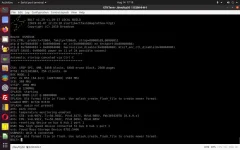
You may break the boot sequence if both TX and RX is working. Once the boot sequence is broken, you may type help to see what commands are available. A RS232 log showing the available commands is attached if anyone cares to look.
 

Attachments

Okay. And what a headache
Managed to get a serial console. And a ctrl+c to break the boot.
Yes. The bootloader looks like it works but hangs on the bad boot logo image.
And now the task is to get the bad image out and a good one in.
Looking at what I assumed was just the Edision logo is not the right one.
The one needed is 720 X 576 pixels and 1.28MB in size.
The one written is over 8 megs and is funky. It's apparently an HD image that is too big for the nor flash.
That's shown in the boot capture.

The task is to not worry how or why it happened. But to replace it with the correct one.
I have a massive headache from searching for the BOLT manual. Nothing.
After I broke boot with ctrl-c in putty, tried typing help. No characters in the screen (help).
The first thing you would do. Perhaps another terminal program?

Anyway. I need an Advil break. But a few things to ponder over and see is someone has a brainstorm.
You will see the message in the boot capture files. And I included both osmio4k USB files with the logos names renamed from .bin to .bmp so you can see what happened. I have not a clue.

The receiver is at least not bricked, dead. But no USB stick in it will do anything and no indication one is found in the log.
Unless somebody sees something I do.

View attachment osmio4k.zipView attachment osmio4k_BAD.zipView attachment Ctrl+C Break.txtView attachment Normal Boot.txt
 
Okay. And what a headache
Managed to get a serial console. And a ctrl+c to break the boot.
Yes. The bootloader looks like it works but hangs on the bad boot logo image.
And now the task is to get the bad image out and a good one in.
Looking at what I assumed was just the Edision logo is not the right one.
The one needed is 720 X 576 pixels and 1.28MB in size.
The one written is over 8 megs and is funky. It's apparently an HD image that is too big for the nor flash.
That's shown in the boot capture.

The task is to not worry how or why it happened. But to replace it with the correct one.
I have a massive headache from searching for the BOLT manual. Nothing.
After I broke boot with ctrl-c in putty, tried typing help. No characters in the screen (help).
The first thing you would do. Perhaps another terminal program?

Anyway. I need an Advil break. But a few things to ponder over and see is someone has a brainstorm.
You will see the message in the boot capture files. And I included both osmio4k USB files with the logos names renamed from .bin to .bmp so you can see what happened. I have not a clue.

The receiver is at least not bricked, dead. But no USB stick in it will do anything and no indication one is found in the log.
Unless somebody sees something I do.

View attachment 17802View attachment 17803View attachment 17804View attachment 17805

Yea I'm not so sure it is stuck on a bad splash logo. If that was the case it would have never booted up trying so start enigma2 and stuck at 50% after the flash of splash image I wouldn't think.
I know I dislike when things break but it is not worth getting a headache over. I look at it as it lasted four and a half years and plenty of enjoyment during that time so it is time for an upgrade anyway. Unfortunate that the Plus model is sold out so an alternative would be the Mini4k or maybe an Octagon SF8008.
 
Now maybe you see why this is not supported???

Let's move on.

What slot are you in or do you know?
What other slots have active images in them?

Hopefully this will not be bad to get out of. But it needs to be understood what is in the receiver and where if possible.

Get a blank usb stick that you know it is good. Download the usb.zip file from here: https://legitfta.com/forum/showthread.php?27659-TNAP-5-Images-for-Edision-OSMio4k

Unzip the usb.zip file to the osmio4k folder. Verify that there are four files inside the osmio4k folder:
emmc.img
imageversion
noforce
-splash.bin


Change noforce to force:
emmc.img
imageversion
force
-splash.bin


Place the properly prepared usb stick that has the osmio4k folder with the four prepared files shown above into the receiver, and try a reboot. Don't break the boot sequence on console or anything. Just place the properly prepared folder into the receiver, reboot and post the output.

What we do next will depend on the output, and what images (slots) are active in the receiver.
 
Two things we are looking for.
(1) The usb to be recognized in the receiver as shown below.
(2) The BOLT> identification to be shown at the end of the output as shown below.

Screenshot from 2023-08-14 17-19-34.webp


Note:
The receiver may decide to load the prepared image at anytime after the usb drive is installed in the receiver. Verify on your tv screen that the image is not loading every time the receiver is rebooted after the usb is inserted. There will be little if any output on the console from the usb image loading and installing. If the image install is interrupted, then we may have a new set of problems! Watch the tv output BEFORE removing power when that usb is in the receiver!!!
 
Last edited:
Try to enter this command and post the output:
load emmcflash0.kernel1 root=/dev/mmcblk1p3

Should look like this in the console before pressing enter. If it doesn't something is wrong.
BOLT> load emmcflash0.kernel1 root=/dev/mmcblk1p3
 
The splash screen will not be found in a normal search of the image files because it resides on a disc in the /dev folder of receiver files. The /dev folder in the receiver is a very delicate place to be. I don't suggest transferring, copying or doing anything else in this folder because the end result may be a receiver that will not start.

The splash file along with its location is shown below:
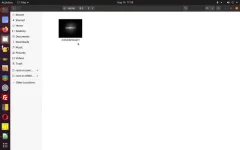
Screenshot from 2023-08-14 17-59-22.webp


TNAP 5 osmio4k

osmio4k login: root
root@osmio4k:~# cd /dev
root@osmio4k:/dev# ls -l
crw-r--r-- 1 root root 10, 235 Dec 31 1969 autofs
drwxr-xr-x 2 root root 500 Dec 31 1969 block
crw------- 1 root root 10, 125 Dec 31 1969 brcmstb
drwxr-xr-x 2 root root 80 Dec 31 1969 bsg
drwxr-xr-x 3 root root 60 Dec 31 1969 bus
crw------- 1 root root 10, 123 Dec 31 1969 bvc5
lrwxrwxrwx 1 root root 3 Dec 31 1969 cdrom -> sr0
drwxr-xr-x 2 root root 4460 Dec 31 1969 char
crw------- 1 root root 5, 1 Aug 14 17:47 console
crw------- 1 root root 10, 127 Dec 31 1969 cpu_dma_latency
drwxr-xr-x 2 root root 60 Dec 31 1969 dbox
drwxr-xr-x 8 root root 160 Dec 31 1969 disk
drwxr-xr-x 3 root root 60 Dec 31 1969 dvb
drwxr-xr-x 2 root root 60 Dec 31 1969 fb
crw-rw---- 1 root video 29, 0 Dec 31 1969 fb0
lrwxrwxrwx 1 root root 13 Dec 31 1969 fd -> /proc/self/fd
crw-rw-rw- 1 root root 1, 7 Dec 31 1969 full
crw-rw-rw- 1 root root 10, 229 Dec 31 1969 fuse
crw------- 1 root root 254, 0 Dec 31 1969 gpiochip0
crw------- 1 root root 254, 1 Dec 31 1969 gpiochip1
crw------- 1 root root 254, 2 Dec 31 1969 gpiochip2
crw------- 1 root root 254, 3 Dec 31 1969 gpiochip3
crw------- 1 root root 254, 4 Dec 31 1969 gpiochip4
crw------- 1 root root 10, 122 Dec 31 1969 hdmi_cec
drwxr-xr-x 2 root root 120 Dec 31 1969 i2c
crw------- 1 root root 89, 0 Dec 31 1969 i2c-0
crw------- 1 root root 89, 1 Dec 31 1969 i2c-1
crw------- 1 root root 89, 2 Dec 31 1969 i2c-2
crw------- 1 root root 89, 3 Dec 31 1969 i2c-3
prw------- 1 root root 0 Dec 31 1969 initctl
drwxr-xr-x 2 root root 140 Dec 31 1969 input
crw-r--r-- 1 root root 1, 11 Dec 31 1969 kmsg
crw------- 1 root root 10, 124 Dec 31 1969 lcd0
srw-rw-rw- 1 root root 0 Dec 31 1969 log
crw-rw---- 1 root disk 10, 237 Dec 31 1969 loop-control
brw-rw---- 1 root disk 7, 0 Dec 31 1969 loop0
brw-rw---- 1 root disk 7, 1 Dec 31 1969 loop1
brw-rw---- 1 root disk 7, 2 Dec 31 1969 loop2
brw-rw---- 1 root disk 7, 3 Dec 31 1969 loop3
brw-rw---- 1 root disk 7, 4 Dec 31 1969 loop4
brw-rw---- 1 root disk 7, 5 Dec 31 1969 loop5
brw-rw---- 1 root disk 7, 6 Dec 31 1969 loop6
brw-rw---- 1 root disk 7, 7 Dec 31 1969 loop7
crw-r----- 1 root kmem 1, 1 Dec 31 1969 mem
drwxr-xr-x 2 root root 280 Dec 31 1969 misc
brw-rw---- 1 root disk 179, 0 Dec 31 1969 mmcblk1
brw-rw---- 1 root disk 179, 8 Dec 31 1969 mmcblk1boot0
brw-rw---- 1 root disk 179, 16 Dec 31 1969 mmcblk1boot1
brw-rw---- 1 root disk 179, 1 Dec 31 1969 mmcblk1p1
brw-rw---- 1 root disk 179, 2 Dec 31 1969 mmcblk1p2
brw-rw---- 1 root disk 179, 3 Dec 31 1969 mmcblk1p3
brw-rw---- 1 root disk 179, 4 Dec 31 1969 mmcblk1p4
brw-rw---- 1 root disk 179, 5 Dec 31 1969 mmcblk1p5
brw-rw---- 1 root disk 179, 6 Dec 31 1969 mmcblk1p6
brw-rw---- 1 root disk 179, 7 Dec 31 1969 mmcblk1p7
brw-rw---- 1 root disk 259, 0 Dec 31 1969 mmcblk1p8
brw-rw---- 1 root disk 259, 1 Dec 31 1969 mmcblk1p9
crw------- 1 root root 249, 0 Dec 31 1969 mmcblk1rpmb
lrwxrwxrwx 1 root root 12 Dec 31 1969 mtab -> /proc/mounts
crw------- 1 root root 90, 0 Dec 31 1969 mtd0
crw------- 1 root root 90, 1 Dec 31 1969 mtd0ro
crw------- 1 root root 90, 2 Dec 31 1969 mtd1
crw------- 1 root root 90, 3 Dec 31 1969 mtd1ro
crw------- 1 root root 90, 4 Dec 31 1969 mtd2
crw------- 1 root root 90, 5 Dec 31 1969 mtd2ro
crw------- 1 root root 90, 6 Dec 31 1969 mtd3
crw------- 1 root root 90, 7 Dec 31 1969 mtd3ro
crw------- 1 root root 90, 8 Dec 31 1969 mtd4
crw------- 1 root root 90, 9 Dec 31 1969 mtd4ro
crw-rw-rw- 1 root root 1, 3 Dec 31 1969 null
crw-r----- 1 root kmem 1, 4 Dec 31 1969 port
crw-rw-rw- 1 root tty 5, 2 Aug 14 17:50 ptmx
drwxr-xr-x 2 root root 0 Dec 31 1969 pts
crw-rw-rw- 1 root root 1, 8 Dec 31 1969 random
crw-rw-r-- 1 root root 10, 242 Dec 31 1969 rfkill
lrwxrwxrwx 1 root root 4 Dec 31 1969 rtc -> rtc0
crw------- 1 root root 253, 0 Dec 31 1969 rtc0
crw------- 1 root root 10, 121 Dec 31 1969 sci0
brw-rw---- 1 root disk 8, 0 Dec 31 1969 sda
brw-rw---- 1 root disk 8, 1 Dec 31 1969 sda1
crw-rw---- 1 root disk 21, 0 Dec 31 1969 sg0
crw-rw---- 1 root cdrom 21, 1 Dec 31 1969 sg1
drwxrwxrwt 2 root root 40 Dec 31 1969 shm
drwxr-xr-x 2 root root 120 Dec 31 1969 snd
brw-rw---- 1 root cdrom 11, 0 Dec 31 1969 sr0
lrwxrwxrwx 1 root root 15 Dec 31 1969 stderr -> /proc/self/fd/2
lrwxrwxrwx 1 root root 15 Dec 31 1969 stdin -> /proc/self/fd/0
lrwxrwxrwx 1 root root 15 Dec 31 1969 stdout -> /proc/self/fd/1
crw-rw-rw- 1 root tty 5, 0 Dec 31 1969 tty
crw--w---- 1 root tty 4, 0 Dec 31 1969 tty0
crw--w---- 1 root tty 4, 1 Dec 31 1969 tty1
crw--w---- 1 root tty 4, 10 Dec 31 1969 tty10
crw--w---- 1 root tty 4, 11 Dec 31 1969 tty11
crw--w---- 1 root tty 4, 12 Dec 31 1969 tty12
crw--w---- 1 root tty 4, 13 Dec 31 1969 tty13
crw--w---- 1 root tty 4, 14 Dec 31 1969 tty14
crw--w---- 1 root tty 4, 15 Dec 31 1969 tty15
crw--w---- 1 root tty 4, 16 Dec 31 1969 tty16
crw--w---- 1 root tty 4, 17 Dec 31 1969 tty17
crw--w---- 1 root tty 4, 18 Dec 31 1969 tty18
crw--w---- 1 root tty 4, 19 Dec 31 1969 tty19
crw--w---- 1 root tty 4, 2 Dec 31 1969 tty2
crw--w---- 1 root tty 4, 20 Dec 31 1969 tty20
crw--w---- 1 root tty 4, 21 Dec 31 1969 tty21
crw--w---- 1 root tty 4, 22 Dec 31 1969 tty22
crw--w---- 1 root tty 4, 23 Dec 31 1969 tty23
crw--w---- 1 root tty 4, 24 Dec 31 1969 tty24
crw--w---- 1 root tty 4, 25 Dec 31 1969 tty25
crw--w---- 1 root tty 4, 26 Dec 31 1969 tty26
crw--w---- 1 root tty 4, 27 Dec 31 1969 tty27
crw--w---- 1 root tty 4, 28 Dec 31 1969 tty28
crw--w---- 1 root tty 4, 29 Dec 31 1969 tty29
crw--w---- 1 root tty 4, 3 Dec 31 1969 tty3
crw--w---- 1 root tty 4, 30 Dec 31 1969 tty30
crw--w---- 1 root tty 4, 31 Dec 31 1969 tty31
crw--w---- 1 root tty 4, 32 Dec 31 1969 tty32
crw--w---- 1 root tty 4, 33 Dec 31 1969 tty33
crw--w---- 1 root tty 4, 34 Dec 31 1969 tty34
crw--w---- 1 root tty 4, 35 Dec 31 1969 tty35
crw--w---- 1 root tty 4, 36 Dec 31 1969 tty36
crw--w---- 1 root tty 4, 37 Dec 31 1969 tty37
crw--w---- 1 root tty 4, 38 Dec 31 1969 tty38
crw--w---- 1 root tty 4, 39 Dec 31 1969 tty39
crw--w---- 1 root tty 4, 4 Dec 31 1969 tty4
crw--w---- 1 root tty 4, 40 Dec 31 1969 tty40
crw--w---- 1 root tty 4, 41 Dec 31 1969 tty41
crw--w---- 1 root tty 4, 42 Dec 31 1969 tty42
crw--w---- 1 root tty 4, 43 Dec 31 1969 tty43
crw--w---- 1 root tty 4, 44 Dec 31 1969 tty44
crw--w---- 1 root tty 4, 45 Dec 31 1969 tty45
crw--w---- 1 root tty 4, 46 Dec 31 1969 tty46
crw--w---- 1 root tty 4, 47 Dec 31 1969 tty47
crw--w---- 1 root tty 4, 48 Dec 31 1969 tty48
crw--w---- 1 root tty 4, 49 Dec 31 1969 tty49
crw--w---- 1 root tty 4, 5 Dec 31 1969 tty5
crw--w---- 1 root tty 4, 50 Dec 31 1969 tty50
crw--w---- 1 root tty 4, 51 Dec 31 1969 tty51
crw--w---- 1 root tty 4, 52 Dec 31 1969 tty52
crw--w---- 1 root tty 4, 53 Dec 31 1969 tty53
crw--w---- 1 root tty 4, 54 Dec 31 1969 tty54
crw--w---- 1 root tty 4, 55 Dec 31 1969 tty55
crw--w---- 1 root tty 4, 56 Dec 31 1969 tty56
crw--w---- 1 root tty 4, 57 Dec 31 1969 tty57
crw--w---- 1 root tty 4, 58 Dec 31 1969 tty58
crw--w---- 1 root tty 4, 59 Dec 31 1969 tty59
crw--w---- 1 root tty 4, 6 Dec 31 1969 tty6
crw--w---- 1 root tty 4, 60 Dec 31 1969 tty60
crw--w---- 1 root tty 4, 61 Dec 31 1969 tty61
crw--w---- 1 root tty 4, 62 Dec 31 1969 tty62
crw--w---- 1 root tty 4, 63 Dec 31 1969 tty63
crw--w---- 1 root tty 4, 7 Dec 31 1969 tty7
crw--w---- 1 root tty 4, 8 Dec 31 1969 tty8
crw--w---- 1 root tty 4, 9 Dec 31 1969 tty9
crw-rw---- 1 root dialout 4, 64 Dec 31 1969 ttyS0
crw-rw---- 1 root dialout 4, 66 Dec 31 1969 ttyS2
crw-rw---- 1 root dialout 4, 67 Dec 31 1969 ttyS3
crw------- 1 root root 250, 0 Dec 31 1969 ttynull
crw------- 1 root root 10, 126 Dec 31 1969 ubi_ctrl
-rw-r--r-- 1 root root 19 Dec 31 1969 udev_network_queue
crw------- 1 root root 10, 223 Dec 31 1969 uinput
crw-rw-rw- 1 root root 1, 9 Dec 31 1969 urandom
crw-rw---- 1 root tty 7, 0 Dec 31 1969 vcs
crw-rw---- 1 root tty 7, 1 Dec 31 1969 vcs1
crw-rw---- 1 root tty 7, 128 Dec 31 1969 vcsa
crw-rw---- 1 root tty 7, 129 Dec 31 1969 vcsa1
crw-rw---- 1 root tty 7, 64 Dec 31 1969 vcsu
crw-rw---- 1 root tty 7, 65 Dec 31 1969 vcsu1
crw-rw---- 1 root video 81, 0 Dec 31 1969 video0
crw------- 1 root root 10, 120 Dec 31 1969 vtuner0
crw------- 1 root root 10, 119 Dec 31 1969 vtuner1
crw------- 1 root root 10, 110 Dec 31 1969 vtuner10
crw------- 1 root root 10, 109 Dec 31 1969 vtuner11
crw------- 1 root root 10, 118 Dec 31 1969 vtuner2
crw------- 1 root root 10, 117 Dec 31 1969 vtuner3
crw------- 1 root root 10, 116 Dec 31 1969 vtuner4
crw------- 1 root root 10, 115 Dec 31 1969 vtuner5
crw------- 1 root root 10, 114 Dec 31 1969 vtuner6
crw------- 1 root root 10, 113 Dec 31 1969 vtuner7
crw------- 1 root root 10, 112 Dec 31 1969 vtuner8
crw------- 1 root root 10, 111 Dec 31 1969 vtuner9
crw------- 1 root root 10, 130 Dec 31 1969 watchdog
crw------- 1 root root 252, 0 Dec 31 1969 watchdog0
crw-rw-rw- 1 root root 1, 5 Dec 31 1969 zero
root@osmio4k:/dev#
 
Okay yes I did for the sake of seeing if your bad splash bin was the cause and indeed my Mio4k with the Bad HDMI port is dead just like you said. The 50% on the front display wasn't the booting of enigma2 process it was the flashing of the bad splash bin. Now I know it is not a bad chip some where as the cause. without the USB port functioning probably going to need a jtag I guess. I am not worried about mine wasn't using it anyway with the bad hdmi.
 
Back
Top