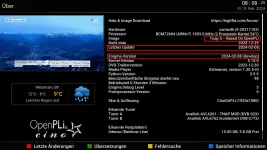
TNAP-5 Image Discussion

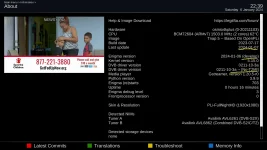
Why does this bother you? "Enigma version......xxxx-xx-xx (develop)". Would you like the wording or something else changed?

It shows Develop because the enigma2 is being built from what was originally the Develop branch. Maybe we should change it from Develop to Custom or something...

Thanks for verifying the problem is fixed!!!!
 
Why does this bother you? "Enigma version......xxxx-xx-xx (develop)". Would you like the wording or something else changed?

It shows Develop because the enigma2 is being built from what was originally the Develop branch. Maybe we should change it from Develop to Custom or something...

Thanks for verifying the problem is fixed!!!!
No, it doesn't bother me at all. It may be confusing for others.
Maybe the name of the image in About screen, can be changed to "Tnap 5-MOD" like the Tuner is showing in the scanning screen. Just a suggestion !
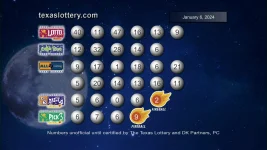
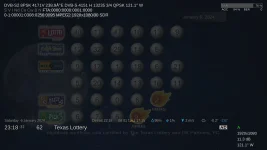
About 121W/4151H, is active on weekends starting at 10-11 pm, eastern time:
121W-4151H.webp121W-texas.webp
 
Last edited:
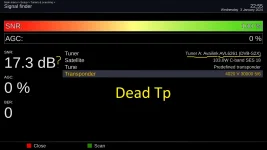
Now for the bad part of the db signal "fix".

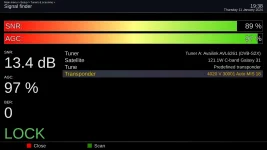
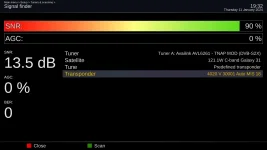
The No-T2MI avl6261 driver will display what ever the value was on the Last signal when there is No signal. In other words, you may have a signal showing 13db when no signal exists as shown earlier by lme. So we have a 2 way split:

(1) The enigma2 code has to be written so the signal has to be locked for the No-T2MI tuner to display snr in db correctly.
(2) The T2MI drivers do not seem to care if the signal is locked or not to display the signal correctly.

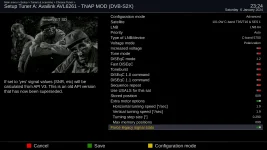
We have a splitter that is not used in Antenna settings called Force Legacy Signal Stats. The default for this is Off (false). So default will run normal and when Force Legacy Signal Stats is set to ON, then enigma2 will set the signal in db whether there is a lock or not, providing of course there is some sort of signal to set.

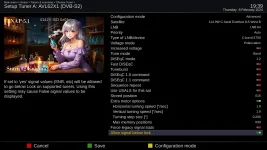
So the proper setting in Antenna setup is shown below if you want to display signal below lock on the T2MI drivers that can do this.

1_0_1_2_1_0_A1D1053_0_0_0_20240106232459.webp
 
Hello,
after the last update i did a blindscan in C band where there is a lot of T2MI
after the blindscan which worked well i did a channel search of all transponders
suddenly green screen and error followed by new start, why? no idea here is the crash report
 

Attachments

Signal in db issues should be fixed with an online update.

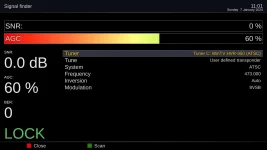
screenshot_20240111004031.webp


The Force legacy signal stats in Antenna setup should be set to OFF for normal operations.
The Force legacy signal stats in Antenna setup should be set to ON for showing signals levels below lock. This feature is only available with certain tuner modules.

Support is ending for TNAP 5. I age revisions and updates should be available in TNAP 5.1.

1_0_1_3_2E7_0_EEEE00C3_0_0_1_20240111004351.webp
 
I updated. It works as you say. But SNR for OTA with Hauppauge 950Q doesn't work.

Added: Just found a new update. Trying it now....second update fixed OTA SNR issue. SNR now appears with Hauppauge. Unlocked signals for satellites still show SNR. Fantastic!
 
Last edited:
TNAP5-MOD has been updated today, but for some reason it shows inconsistency on MIS type tp:
for illustration there are mis tps on 2 diff sats:
121W
mis1.webpmis2.webp

87W:
mis3.webpmis4.webp

Nothing like this is happening on regular TNAP5.
 
TNAP5-MOD has been updated today, but for some reason it shows inconsistency on MIS type tp:
for illustration there are mis tps on 2 diff sats:
121W
View attachment 17995View attachment 17996

87W:
View attachment 17997View attachment 17998

Nothing like this is happening on regular TNAP5.
Apparently there is some confusion, so let's try to explain or clarify this stuff again.

Note: This only pertains to Edision Mio, MIO+, and Mini 4K receivers.

TNAP now has four(4) different avl6261 drivers that can be selected. (Two of these four drivers have been modified.)
TNAP now has two(2) signal settings in Antenna setup.
This means you have 8 possible combinations.

Drivers that have T2MI capability Do Not work on the multi-stream type transponder that is found on 121w c band.
The only driver that works with that transponder is the Non-T2MI driver. The other 3 drivers Will Not Work on the 121w c band multi-stream transponder.

Force legacy signal stats in Antenna setup has to be set to OFF for the Non-T2MI driver to work properly.

Modifications were made in enigma2 to allow the 2 avl6261 drivers that are modified to show signal below lock.
Force legacy signal stats in Antenna setup has to be set to ON for the Modified T2MI drivers to work properly.

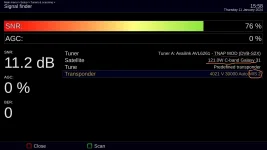
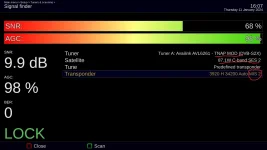
Here is a screenshot of 121w multi-stream tp using modded T2MI driver and Force legacy signal stats in Antenna setup set to ON:
screenshot_20240111193251.webp
(Notice the missing AGC signal???)

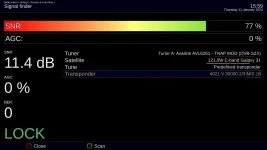
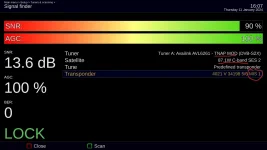
Here is a screenshot of 121w multi-stream tp using Non-T2MI driver and Force legacy signal stats in Antenna setup set to OFF:
screenshot_20240111193809.webp

Enigma2 Modifications to make all of this work were split in two.
Original Non-Modified Enigma2 code is accessed when Force legacy signal stats in Antenna setup set to OFF.
Modified Enigma2 code is accessed when Force legacy signal stats in Antenna setup set to ON.

The multi-stream transponder not working on T2MI drivers is the problem of Edision or the Manufacturer.
The multi-stream transponder not working on T2MI drivers Is Not the problem of the TNAP image.
 
Look at it a bit further then.....

What channel(s) are on the multi-stream transponders for 87w? Post your blindscan log that shows these transponders and we will investigate.
 
Look at it a bit further then.....

What channel(s) are on the multi-stream transponders for 87w? Post your blindscan log that shows these transponders and we will investigate.

There are no channels on multi-stream tp.
here is the tp blindscan on normal tnap5:
View attachment tnap5-blindscan_87W_12-01-2024_10-53-59.txt

here is tp blindscan with mod version with legacy sig=off:
View attachment mod1-blindscan_87W_12-01-2024_11-17-14.txt

here is tp blindscan with mod version with legacy sig=ON:
View attachment mod2-blindscan_87W_12-01-2024_11-10-49.txt
 
Put simply, the multi-stream transponders on 87w are not identical to the multi-streqam transponders on 121w. You will need to find someone with a Good satellite card or something more advanced than a fta receiver in the signal department to know the exact difference. You will probably find one of the satellite multi-stream transponder is acm/vcm, normal or short frame...etc while the multi-stream transponders on the other satellite are not. A satellite fta receiver such as the Edision MIO cannot show these details, so you have no way of knowing what the difference is. Having active channels on the transponder would help.

It is a known fact the T2MI and Non-T2MI avl6261 drivers behave differently and return different sets of transponders in blindscan. That is Why they are included in the image. Unfortunately, there is not a way today to make One of these drivers do everything. It is what it is....

Also, Blindscan is Blindscan. More or less a crapshoot. Sometimes you can blindscan a satellite three times and get three different results. Other times, you can blindscan a satellite 5 times and get almost identical results each time. Some drivers and enigma2 images may blindscan better than others. You just have to find what works best for you and use it. This is not likely to change anytime soon.
 
Hello
With the latest version of TNAP 5 image and thanks to Ocean04's modifications
we can see since the end of 2023 the signals of the transponders which are not locked.
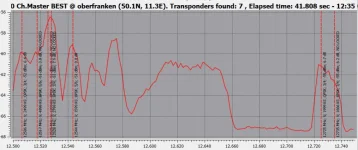
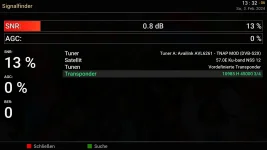
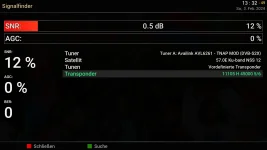
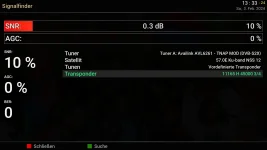
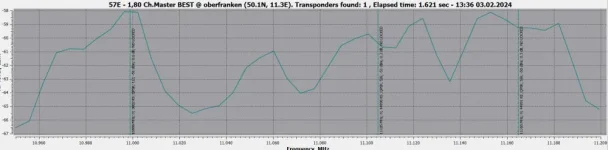
Here is a comparison of the results on the 30.5 East satellite (Arabsat) from Crazyscan and mio4K.
It's very comparable.
 

Attachments

  • 30.5East.webp
    30.5East.webp
    72.2 KB · Views: 5
  • 12506 lock 6,2-tile.webp
    12506 lock 6,2-tile.webp
    110.7 KB · Views: 7
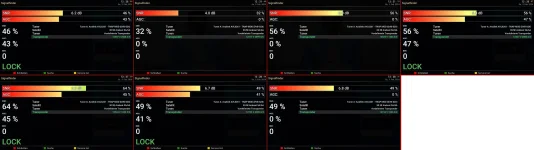
and even with very weak signals the result is decent
 

Attachments

  • 10985 57 0,8.webp
    10985 57 0,8.webp
    52.6 KB · Views: 8
  • 11105 57 0.5.webp
    11105 57 0.5.webp
    52.2 KB · Views: 6
  • 11165 57 0.3.webp
    11165 57 0.3.webp
    52.2 KB · Views: 5
  • 57 ost petit.webp
    57 ost petit.webp
    31.6 KB · Views: 6
Crash Log for TNAP5

I have a crash log for TNAP5. TNAP5 will repeatedly crash any time I select the BVN transponder at 12147 H 3600 on 117W Ku. I tried rescanning the tp using Signal Finder. The Finder sees the tp indicating by its name that it has been updated to FEC 5/6. The Service List reports it sees the tp. But when I scan, TNAP5 again crashes.

Crash log is attached.

View attachment enigma2_crash.txt

Added today: I did a fresh blind scan using Clear before scan switch. BVN can now be selected without crashing the system. Problem symptom is gone.
 
Last edited:
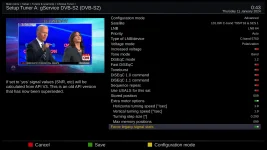
TNAP5 Online updates are available.
The signal below lock has been modified and now has its own setting in Antenna setup as shown below.
1_0_1_1_337_0_A81902E_0_0_0_20240208193934.webp
 
hello el bandido
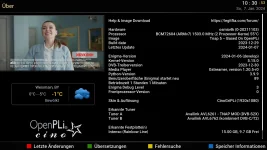
your last screenshot shows version 5.1.
I looked in the flash image of my MIO 4K and this version is not there. Is this normal?
I do have the latest update
or have I missed a step?
 

Attachments

  • tnap 5.0.webp
    tnap 5.0.webp
    144.1 KB · Views: 14
  • tnap old.webp
    tnap old.webp
    93.2 KB · Views: 8
TNAP 5.1 Is only running in the SF8008 Supreme. It is taking time to update/build TNAP 5.1 for the other receivers. Maybe a week or two.
 
Back
Top