TNAP-7 Image Discussion

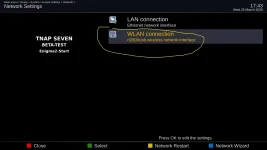
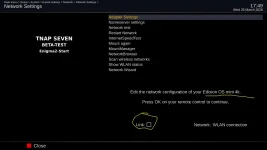
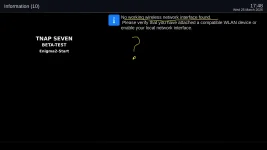
0325 Mini4k is worst then 0324: WLAN is completly DEAD ?!?
..only lan connection is working !!!
 

Attachments

  • mini-network1.webp
    mini-network1.webp
    50.9 KB · Views: 7
  • mini-network2.webp
    mini-network2.webp
    57.3 KB · Views: 4
  • mini-network3.webp
    mini-network3.webp
    34.3 KB · Views: 7
enigma2.zip is attached. Yes, Mood Music is working fine now by scanning 101W.


It seems you have:
IPTV (type 4097) services = 12,786
DVB services = 906
Total lines across TV bouquets = 26,586
Lamedb entries = 2,406

Along with improper edits made apparently in Windows. But at least it runs.
OpenWebif was not designed for this. When OpenWebif was designed some 10-15 years ago, IPTV really did not exist publicly.
And these:
userbouquet.99_1w_...tv.del
userbouquet.116_9w_...tv.del
userbouquet.favourites.tv.del
userbouquet.favourites.radio.del
alternatives.12_3_metv___.tv.del
userbouquet.123_0w_...tv.del
userbouquet.116_9w_c_band_...tv.del

All of those files are useless but have to be read.
And there are other issues. In short your enigma2 folder needs a good cleaning or simply start fresh. These are supposed to be fta receivers from 2016-2018 year models at best. They were not designed for this type of IPTV bloat yet yours works! But do not expect all of the features to work. And receiver problems may exist. Your settngs file also has errors.

Thanks for taking the time to upload this. I can't do anything with it.
 
By a fresh start I mean deleting that entire folder.
In terminal or putty:
init 4
Then delete /etc/enigma2
init 3


If you are happy with what you have then do nothing and enjoy using it! Am not trying to be critical. But that is one enigma2 folder that I cannot debug. Granted the openwebif may also have problems. But if you notice the editor is displaying what few bouquets I have. I dunno....If it was me, I would simply delete the entire enigma2 and start all over.
 
Excellent! Keep a copy and if no improvements, then revert back to using it.
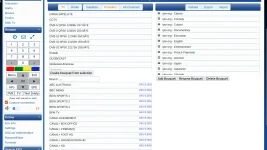
I deleted the enigma2 folder and recreated. As I was building up the bouquets, they were appearing in webif. At some point, maybe when I added all the bouquets using iptv-org playlists, the webif stopped showing any bouquets. So maybe I exceeded some capacity or number of bouquets. I'm not too concerned. I think things are working faster, blind scans using the No-T2MI driver are fast and complete, now that I cleaned everything. So I will keep this configuration. The new enigma is attached.
 

Attachments

It probably creates an unusual bouquet
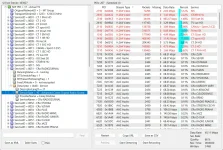
Because it's easy to do, I deleted, using the proper Remove entry command in the Mio4k+, all iptv-created bouquets. What do you know? Now I can see all bouquets in webif! The bouquets are still showing in the enigma2 folder but they are marked with suffix .del. And the bouquets.tv folder only has satellite bouquets.

ADDED: Now I am adding iptv bouquets. I added one, and then five and so far so good. This suggests it's not corrupted bouquets but likely a sizing issue. I will keep adding to see if I can break it again.
 
Here s what I find with it:
● Three distinct problems were found:

1. CRLF line endings (red herring)
Every file had Windows \r\n line endings. This was the first thing I fixed, but it turned out to be a non-issue — your own working config also has CRLF and works fine. Enigma2 handles both. Time wasted chasing this one.

2. Split #DESCRIPTION line in userbouquet.iptv-org.auto.tv
The channel "100 Auto Moto TV" had its #DESCRIPTION line broken across two lines:
#DESCRIPTION 100
uto Moto TV (406p) [Not 24/7]
The second line had no # prefix, which is invalid. This was caused by a %0a (URL-encoded newline) embedded in the service name that a Windows editor interpreted as a literal line break when re-saving. Fixed by merging the lines and correcting the service name.

3. Corrupt UTF-8 bytes in four files (the actual killer)
Four files — classic.tv, documentary.tv, entertainment.tv, and series.tv — all had the same type of corruption in Russian channel names for the "Смотрим 100" service. Cyrillic characters in UTF-8 are 2-byte sequences starting with 0xd0. In each case the leading 0xd0 byte had been stripped, leaving an invalid lone byte:

classic.tv: Смотрим 100[0x9a]лассика → Смотрим 100 Классика
documentary.tv: Смотрим 100[0xa4]акты → Смотрим 100 Факты
entertainment.tv: Смотрим 100[0x9f]раздник → Смотрим 100 Праздник
series.tv: Смотрим 100[0x9b]юбовь → Смотрим 100 Любовь
+ Смотрим 100[0x9c]ужское → Смотрим 100 Мужское
When OpenWebif's Python parser hit these invalid bytes it threw a UnicodeDecodeError and returned an empty bouquet list — which is why the editor opened but showed nothing. This was the root cause.

Suggestions:
Never edit enigma2 bouquet files on Windows. Windows text editors (Notepad, Notepad++, WordPad) corrupt these files in two ways:

1. They mangle multi-byte UTF-8 characters — Cyrillic, Arabic, Chinese, accented characters, etc. are stored as 2-4 byte sequences. Windows editors that aren't strictly UTF-8 aware will silently drop or alter bytes, producing invalid characters that break the parser.
2. They insert \r carriage returns — enigma2 expects Unix line endings (LF only). Windows saves CRLF which can cause parsing issues depending on the
enigma2 version.

The right tools if editing is necessary:

- Edit directly on the receiver via SSH using nano or vi — they never corrupt encodings
- On Windows, use Notepad++ but ONLY if you explicitly set: Encoding → UTF-8 and Edit → EOL Conversion → Unix (LF) before saving
- On Mac/Linux, any standard text editor is fine

Better yet — use OpenWebif's bouquet editor itself for any bouquet changes instead of editing files by hand. That's exactly what it's there for, and it
writes correctly formatted files every time.

Properly repaired enigma2 folder is attached.

enigma2-editor-fixed-2026-03-26 17-30-52.webp
 

Attachments

One reason I wanted to start clean with a new enigma2 folder was because I've likely never edited any bouquets BUT I wanted to verify this. So after starting with a clean enigma2, I only used the remote control to copy bouquets from the scanned satellite folders using the Edision command. No outside editor touched anything.

I have now discovered when I slowly added iptv bouquets that when I added the eleventh bouquet, it broke. Ten iptv bouquets from language, country and genre categories worked fine. Not sure what this all proves. The eleventh file added was classic.tv which you identified caused corruption.
 
One reason I wanted to start clean with a new enigma2 folder was because I've likely never edited any bouquets BUT I wanted to verify this. So after starting with a clean enigma2, I only used the remote control to copy bouquets from the scanned satellite folders using the Edision command. No outside editor touched anything.

I have now discovered when I slowly added iptv bouquets that when I added the eleventh bouquet, it broke. Ten iptv bouquets from language, country and genre categories worked fine. Not sure what this all proves. The eleventh file added was classic.tv which you identified caused corruption.

Now maybe we are getting somewhere. My AI claims he fixed it. So wait for the next image update. The openwebif bouquet editor should be repaired:

services: fix UnicodeDecodeError crashing bouquet editor on invalid UTF-8
removeBadChars now sanitizes ALL invalid UTF-8 sequences (not just fourknown bytes) by round-tripping through decode/encode with errors='replace'.filterName uses errors='replace' instead of the default 'strict' so asingle bad byte in any service name can never throw.convertUnicode in PY3 now handles bytes objects with errors='replace'rather than passing them through raw.getBouquets and getServices wrap getContent in try/except so a decodingfailure inside enigma2's C++ bindings logs the error and returns an emptylist instead of silently killing the entire bouquet editor response.Root cause: iptv-org playlist data contained Cyrillic channel names witha missing leading 0xd0 UTF-8 byte. Adding the affected bouquet file causedOpenWebif's bouquet editor to display nothing at all.Co-Authored-By: Claude Sonnet 4.6 <noreply@anthropic.com>
 
Now maybe we are getting somewhere. My AI claims he fixed it. So wait for the next image update. The openwebif bouquet editor should be repaired:...
I don't understand Claude but I think he knows what he's doing. I like that he's on my team. I deleted the four iptv bouquets you mentioned were corrupted and the webif is now working with all other iptv bouquets in place. I'll stand by for an update. I usually check about once/day normally anyway.
 
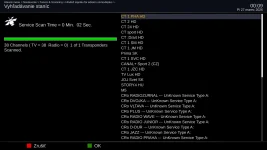
That Is Not an error. "Unknown Service Type" Is displayed when a service is scanned that is not listed enigma2 files. The Notice is shown so you know to put the Unknown Service into a bouquet if you want to keep it because it will Not Be Shown in the regular satellite list.
 
Back
Top