TNAP-6 Image Discussion

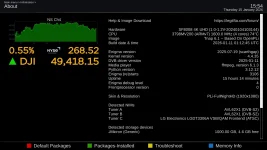
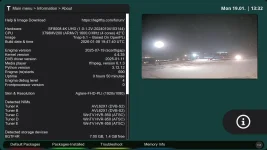
Up to "TNAP-6.1-osmio4kplus-20251221_multiboot" version, after an online update, "about" was allways showing the latest tnap version ! Starting with "TNAP-6.1-osmio4kplus-20260108_multiboot" version, there is no way to know what version is installed, unless I will do a fresh install.
The "Build date and time" entry Is correct as it shows the current installed image. That entry is correct. And you are right. This did recently change to make it easier to know exactly what is in the receiver. Other entries can be added if needed. But the entry as shown is correct:
build-date-time_20260115155443.webp
 
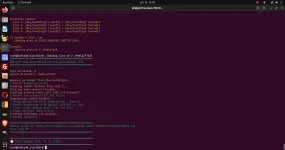
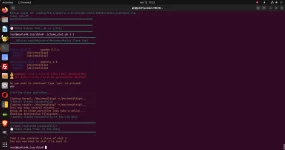
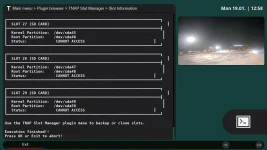
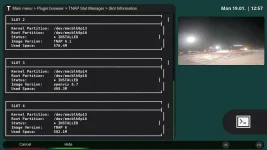
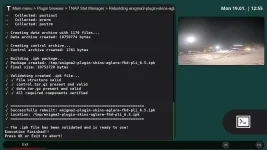
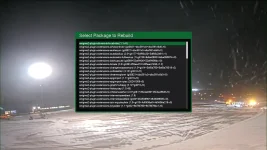
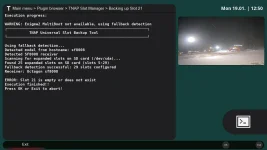
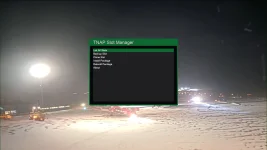
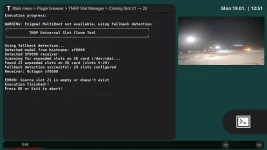
Currently there are new backup scripts available for the SF8008 and the Edision receivers. These scripts allow the backup of any slot and or the clone of obe slot to another. I think the Octagon SF8008 has a hack that allows images on usb drive, this giving extra multiboot slots. The extra usb multiboot slots may be added to the backup scripts, allowing the backup of virtually any image anywhere on the system. Problem is I do not have an extended multiboot system to get information from.

Edision-backup 2026-01-15 15-18-30.webp<------------------>Edision-clone-OK 2026-01-15 15-23-04.webp
 
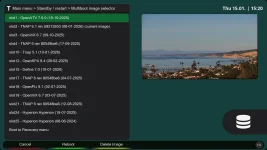
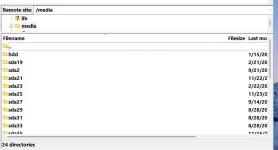
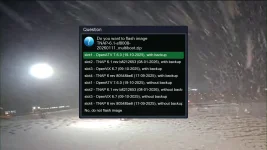
I've been using the hack for quite a while now without any major hiccups. The hack allows you to add (if I remember correctly) 15-25-50 or so slots to a Samsung Evo 512 GB micro sd card. This allows the internal nvme ssd card to be used for storage only. Other ops have claimed the nvme ssd card could be formatted to accept up to 50 slots instead of going the microsd route. This would make the nvme ssd setup a better choice for faster boots and overall image function. But I haven't found the need to replace the microsd with the nvme ssd. I am quite happy with the current setup.

Also, when using any image from the microsd card slot, backupsuite works just fine to make backups to the nvme ssd card. Restoring a backup to the same slot works well too. Hyperion image is an exception to this.

Menu-Multiboot Image Selector.webpMultiboot slots Filezilla.webp
 
The "Build date and time" entry Is correct as it shows the current installed image. That entry is correct. And you are right. This did recently change to make it easier to know exactly what is in the receiver. Other entries can be added if needed. But the entry as shown is correct:
View attachment 19415
Your afirmation is correct AFTER a fresh flash only, but not after an ONLINE update from 1 version to a new version.
Info still shows the previouse version #, after online update !
Info shows the actual version after a fresh flush only.
But is not a biggy, just an observation.
 
Other receivers? Do you mean other images?

Sometimes you can upgrade into a different image version using online update, but I try to keep that from happening. If you get say 50-100+ packages to update online, then it is my opinion a flash should be used. I will see if we can put something in About to keep track of online updates.
 
Back
Top