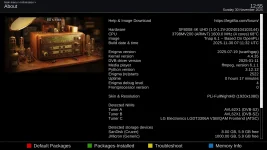
TNAP 6.1 is now available, and should be considered to be "An updated Continuation of TNAP 6".
###
Critical Security Fixes
Network Security: Multiple CVE patches for OpenSSH, OpenSSL, Curl, and network utilities
System Libraries: Updated GLib, Glibc, LibXML2 with latest security fixes
Multimedia: GStreamer, FFmpeg security patches
Core Tools: Binutils, GCC, Python security updates
Web Security: LibSoup, WebKit-related fixes
###
Notable CVEs Addressed
Security patches include fixes for CVE-2024 and CVE-2025 series vulnerabilities affecting:
SSL/TLS communications
Network protocols
File handling
Memory management
Authentication systems
System Updates
###
Updated Core Components
Python: 3.12.11 (from 3.12.8)
GCC Compiler: 13.4 (from 13.3)
GStreamer: 1.26.8 (from 1.22.12)
Git: 2.44.3
Go Language: 1.22.12
Binutils: Latest version with security patches
Kernel: Updated drivers and modules
Package Updates
nodejs: 20.18.2
PHP: 8.2.28
PostgreSQL: 16.9
FFmpeg: 6.1.2
OpenSSL: 3.2.4
library and dependency updates
Bug Fixes
###
Build System
Fixed BitBake multiprocessing import issues
Resolved GStreamer patch conflicts
Corrected package dependency chains
Improved build reproducibility
###
Multimedia
Fixed RTMP seeking and stability issues
Improved HLS demuxing reliability
Updated hardware codec support
Enhanced streaming performance
###
System Stability
Memory leak fixes in various components
Improved error handling
Better resource management
Enhanced package installation reliability
##
Improvements
###
Performance
Optimized build system performance
Reduced memory usage in several components
Improved startup times for some services
Better caching mechanisms
###
Compatibility
Enhanced hardware support
Better driver compatibility
Improved third-party plugin integration
Updated firmware packages
##
What's Under the Hood
###
Technical Details
(For those interested in the technical details)
Build System Updates:
OpenEmbedded-Core: 568 new commits
Meta-OpenEmbedded: 437 new commits
BitBake: 2.8.1 (scarthgap branch)
Layer Version: 15
Major Version Changes:
GStreamer 1.22.12 → 1.26.8 (multimedia framework)
Python 3.12.8 → 3.12.11 (system scripting)
GCC 13.3 → 13.4 (system compiler)
###
Known Issues
Initial boot may take slightly longer due to updated components
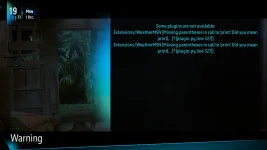
Some third-party plugins may need updates from their developers
Samba warnings during boot (harmless, will be addressed in next update)
###
Installation
Use Normal Flash Procedures
Should be Okay to Autorestore
Note: If something suddenly quits working after flashing, a clean install may be needed.
Always make a Full Backuo before Flashing!