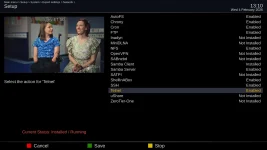
I updated it on February 3, 2026.My SF8008 is working OK.
Thanks for the detailed testing. This isn't an image bug - it's a hardware initialization issue when LAN is broken. The Problem:I updated it on February 3, 2026.
It didn't change anything.
There's some kind of error in the image.
All other OpenPLI, OpenATV, and derivatives don't have this problem.
Do a test on your own if you can.
Install the image without plugging the cable into the LAN port.
And see if the network manager works.
Because in my opinion, the reason I don't have these options is because
my LAN port is broken.

yes, it does after downloading the driver from plugins using wire connection.That is a debug log. Thanks for sharing it. The skin needs some work. The big question is does wifi work now?


If you have the original Octagon SF8008 I looked up the wlan driver and it shows rtl8192eu and I see that driver in the download plugins so it is probably not installed already. Tried downloading it through terminal but I couldn't figure out that command to get it to downloaded so maybe EB can post it and you can install via usb.Unfortunately,
Today's Octagon version didn't fix my problem.
Maybe if there was an option to save Enigma_debug to USB,
I could send the log, and that would explain something.
TNAP 7 osmini4k
osmini4k login: root
Password:
root@osmini4k:~# lsusb
Bus 003 Device 001: ID 1d6b:0001 Linux 5.15.0 ohci_hcd Generic Platform OHCI controller
Bus 001 Device 001: ID 1d6b:0002 Linux 5.15.0 ehci_hcd EHCI Host Controller
Bus 001 Device 002: ID 7392:7811 Realtek 802.11n WLAN Adapter
Bus 004 Device 001: ID 1d6b:0001 Linux 5.15.0 ohci_hcd Generic Platform OHCI controller
Bus 002 Device 001: ID 1d6b:0002 Linux 5.15.0 ehci_hcd EHCI Host Controller
root@osmini4k:~# opkg install kernel-module-rtl8192cu
Installing kernel-module-rtlwifi-5.15.0 (5.15) on root
Downloading http://162.216.113.217/tnap-7/osmini4k/kernel-module-rtlwifi-5.15.0_5.15-r0.1_osmini4k.ipk.
Installing kernel-module-rtl8192c-common-5.15.0 (5.15) on root
Downloading http://162.216.113.217/tnap-7/osmini4k/kernel-module-rtl8192c-common-5.15.0_5.15-r0.1_osmini4k.ipk.
Installing kernel-module-rtl-usb-5.15.0 (5.15) on root
Downloading http://162.216.113.217/tnap-7/osmini4k/kernel-module-rtl-usb-5.15.0_5.15-r0.1_osmini4k.ipk.
Installing kernel-module-rtl8192cu-5.15.0 (5.15) on root
Downloading http://162.216.113.217/tnap-7/osmini4k/kernel-module-rtl8192cu-5.15.0_5.15-r0.1_osmini4k.ipk.
Configuring kernel-module-rtlwifi-5.15.0.
Configuring kernel-module-rtl-usb-5.15.0.
Configuring kernel-module-rtl8192c-common-5.15.0.
Configuring kernel-module-rtl8192cu-5.15.0.
root@osmini4k:~#

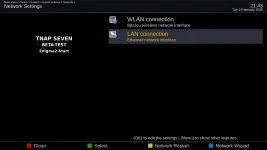
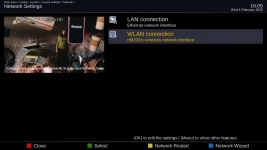
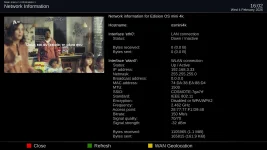
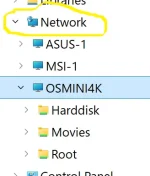
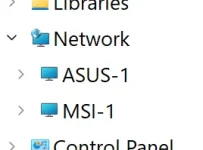
After the clean flash/install, wifi is not active due to missing driver. So, to download the driver from plugins list, the box must have lan(wire) connection. At this stage, the box is visible in computer network menu (see wire pic) & dreamse & DCCe2.The Edision osmini4k WIFI is about as improved as it is going to get unless more information can be given about it. Describe what you are or are not seeing. Provide crash logs if it crashes. I have no idea what needs to be improved on it now. Be glad to keep working on it if you can tell me what it needs... My Mini4k wireless works, but I normally use LAN.
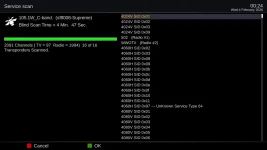
Satellite blindscan and Service scan have been adjusted somewhat. A blindscan of 105w returns over 2000 services which is good. Positioner setup is broken. The Edision 4K receivers may have erratic signal readings because of yet-to-be-completed customization for signal below lock. A bunch of little things left to do...Almost a solid week was spent on WIFI or Networking. And the Edision Mini4k still has WIFI issues??? We will see... What does it need???
View attachment 19550
I decided to install wifi driver, on osmini4k, to see if it works
I'm still using 0202 image, downloaded kernel-module-rtl8192cu from telnet
Code:TNAP 7 osmini4k osmini4k login: root Password: root@osmini4k:~# lsusb Bus 003 Device 001: ID 1d6b:0001 Linux 5.15.0 ohci_hcd Generic Platform OHCI controller Bus 001 Device 001: ID 1d6b:0002 Linux 5.15.0 ehci_hcd EHCI Host Controller Bus 001 Device 002: ID 7392:7811 Realtek 802.11n WLAN Adapter Bus 004 Device 001: ID 1d6b:0001 Linux 5.15.0 ohci_hcd Generic Platform OHCI controller Bus 002 Device 001: ID 1d6b:0002 Linux 5.15.0 ehci_hcd EHCI Host Controller root@osmini4k:~# opkg install kernel-module-rtl8192cu Installing kernel-module-rtlwifi-5.15.0 (5.15) on root Downloading http://162.216.113.217/tnap-7/osmini4k/kernel-module-rtlwifi-5.15.0_5.15-r0.1_osmini4k.ipk. Installing kernel-module-rtl8192c-common-5.15.0 (5.15) on root Downloading http://162.216.113.217/tnap-7/osmini4k/kernel-module-rtl8192c-common-5.15.0_5.15-r0.1_osmini4k.ipk. Installing kernel-module-rtl-usb-5.15.0 (5.15) on root Downloading http://162.216.113.217/tnap-7/osmini4k/kernel-module-rtl-usb-5.15.0_5.15-r0.1_osmini4k.ipk. Installing kernel-module-rtl8192cu-5.15.0 (5.15) on root Downloading http://162.216.113.217/tnap-7/osmini4k/kernel-module-rtl8192cu-5.15.0_5.15-r0.1_osmini4k.ipk. Configuring kernel-module-rtlwifi-5.15.0. Configuring kernel-module-rtl-usb-5.15.0. Configuring kernel-module-rtl8192c-common-5.15.0. Configuring kernel-module-rtl8192cu-5.15.0. root@osmini4k:~#
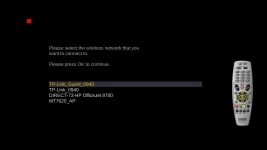
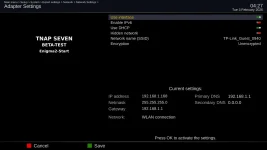
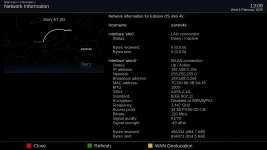
View attachment 19551 View attachment 19552 View attachment 19553
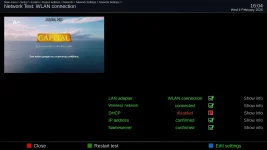
It's working, it did crash while setting up