TNAP-7 Image Discussion

Hello el bandido
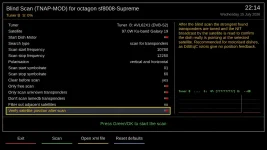
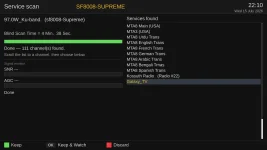
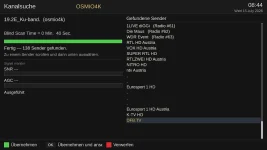
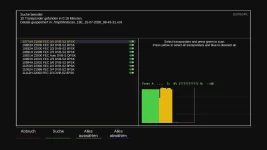
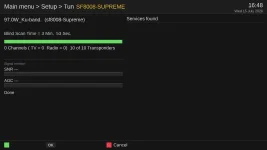
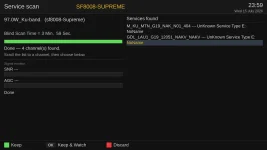
The translation is now correct at the end of the scan.
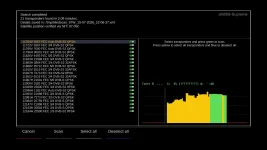
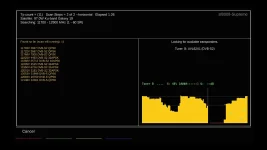
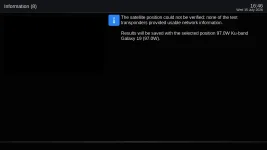
However, C-band is still displayed after the channel search (even though satellite verification is no longer enabled).
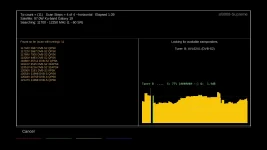
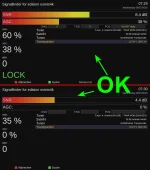
The dB value for frequencies that are not locked is incorrect; it remains at the value of the last locked frequency.
(With version 6xx of TNAP, this worked correctly.)
Attach the satellites.xml file you are using. It may show the wrong C-band problem.

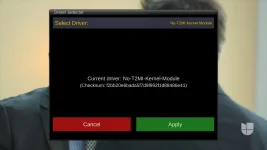
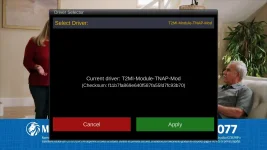
You are using the No T2MI driver which displays fake signals when Allow signal below lock is set to yes. Either change the driver or change Allow signal below lock to No. The 700 MHz Europe driver is probably better for you. Drivers can be changed using the driver selector plugin.

Driver Selector Plugin
driver-selector_20260707213125.webp

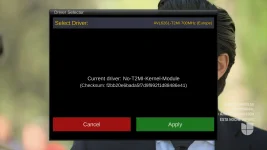
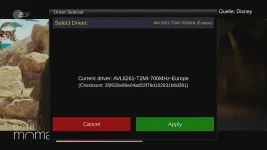
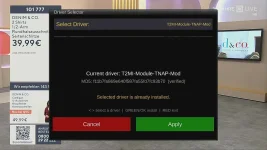
Change to this and press the Green remote button to install the driver:
avl6261-europe_20260707213228.webp

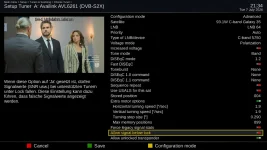
Change this setting if you want to use the No T2MI driver:
ChatGPT Image Jul 7, 2026, 09_39_59 PM.webp

Will need to see the satellites.xml file you are using to understand the C band problem.
 
I got TNAP 7 operational but I need to change ownership of /media from root:root to root:disk but the system won't let me do so even though I telnetted in as root. chmod did not wok on /media either. I had no problem with executing chown -R root:disk /media with earlier TNAPs. One other note is that I had to manually scan 4120 on G19 (99W) to get the ABC feeds because blindscan would not pick up the transponder.
 
Qviart Dual:
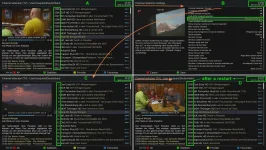
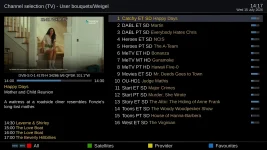
- If I leave the channel list open, the clock freezes.
- If I restart Enigma2 after installing the InfoBarWeather plugin, the image keeps restarting in a loop.
If I recall correctly, this bug wasn't present in the image from June 30th.
I downloaded the image using the receiver's menus. Installed a few channels and did nothing else except install InfoBar weather plugin. My clock on the receiver's display or on the receiver worked correctly and did not freeze. I gig not have any bootloops.

If you continue to have problems, provide the correct enigma2 version and the image build date. A log should be in /home/root/logs of the receiver when a bootloop occurs. Please provide any logs. Thanks.
 
Hello el bandido
The translation is now correct at the end of the scan.
However, C-band is still displayed after the channel search (even though satellite verification is no longer enabled).
The dB value for frequencies that are not locked is incorrect; it remains at the value of the last locked frequency.
(With version 6xx of TNAP, this worked correctly.)
I cannot replicate this problem.

Every time Service Scan is ran, a log is generated. By default, the logs will be in /tmp of receiver files. You can make a folder named ServiceScan and install the folder onto a USB drive. Insert the USB into the receiver and then the scan logs should be found in the ServiceScan folder of the USB drive.

It would be a good idea to see the antenna settings. In Telnet or Terminal, enter: grep 'config.Nims' /etc/enigma2/settings then post the output.
 
I got TNAP 7 operational but I need to change ownership of /media from root:root to root:disk but the system won't let me do so even though I telnetted in as root. chmod did not wok on /media either. I had no problem with executing chown -R root:disk /media with earlier TNAPs. One other note is that I had to manually scan 4120 on G19 (99W) to get the ABC feeds because blindscan would not pick up the transponder.

TNAP 7 mounts /media as tmpfs during boot. Because tmpfs is recreated each boot,a manual chown of /media does not survive reboot. This small init script runslate in rcS and restores only the parent /media directory to root:disk, mode 1777.It does not recursively modify mounted drives or recordings.

As a fix, Copy and paste the code below into the receiver's telnet erminal and then press enter.
Code:
cat > /etc/init.d/fix-media-group <<'EOF'
#!/bin/sh
#
# fix-media-group
#
# TNAP/OpenPLi-style fix for images that mount /media as tmpfs at boot.
# This changes ONLY the parent /media directory to root:disk, mode 1777.
# It does NOT recursively change /media/hdd, /media/usb, recordings, backups, etc.

case "$1" in
    start|restart)
        if [ ! -d /media ]; then
            exit 0
        fi

        if ! grep -q '^disk:' /etc/group; then
            echo "fix-media-group: group 'disk' not found"
            exit 0
        fi

        chown root:disk /media 2>/dev/null
        chmod 1777 /media 2>/dev/null
        ;;
    stop)
        ;;
    *)
        echo "Usage: $0 {start|stop|restart}"
        exit 1
        ;;
esac
exit 0
EOF

Then run these commands in telnet.
chmod 755 /etc/init.d/fix-media-group
ln -sf ../init.d/fix-media-group /etc/rcS.d/S99fix-media-group
reboot


As for your missing transponder, this was explained a bit in post 544. A scan log was made and uploaded so you could see the transponder is found, --just not on your receiver. So what is TNAP supposed to do about that??? The scan log has yet to be downloaded.

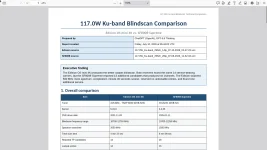
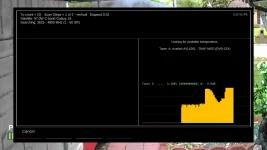
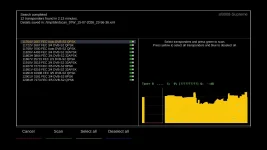
A scan log is generated every time a service scan is ran. These logs are not "Eye Candy". They are generated to provide information about what happens in a scan. The scan log may pinpoint a problem or it may not... If you want help with a scanning problem, then post the scan log. Simple enough. Attached is just one example of what can be done with scan logs.

Screenshot from 2026-07-10 16-01-02.webp
 

Attachments

Hello el bandido
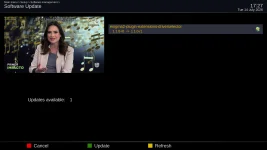
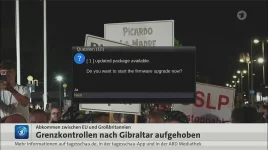
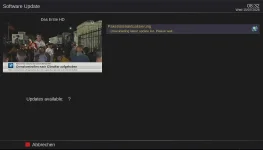
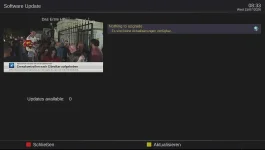
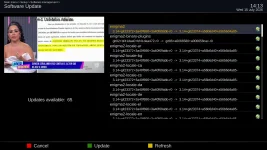
Another oddity: every time I do a full restart, a message appears about an update, but in reality, that update doesn't exist??
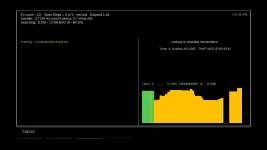
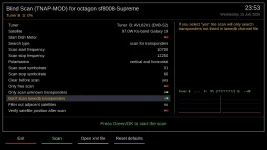
Here is the scan log, plus a short video showing the fake update, a video showing the end of the blind scan, and finally the settings.
I hope we can find an explanation for these minor issues.
 

Attachments

I downloaded the image using the receiver's menus. Installed a few channels and did nothing else except install InfoBar weather plugin. My clock on the receiver's display or on the receiver worked correctly and did not freeze. I gig not have any bootloops.

If you continue to have problems, provide the correct enigma2 version and the image build date. A log should be in /home/root/logs of the receiver when a bootloop occurs. Please provide any logs. Thanks.
The Enigma2 version was the one from July 3rd (I’m attaching the logs from the first five Enigma2 restarts).
I had to re-flash the system, but this time I performed a clean flash without restoring the TNAP configuration backup from the previous release.
So, after the clean flash, I immediately installed InfoBarWeather; it’s working now and doesn't crash.
Clearly, something was going wrong when restoring the TNAP configuration backup.
Everything is fine now, including the time display, which used to freeze whenever I left the channel list open.
Thanks!
Ciao!
 

Attachments

Back
Top