TNAP-7 Image Discussion

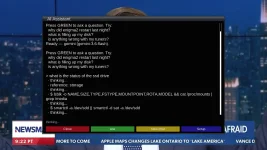
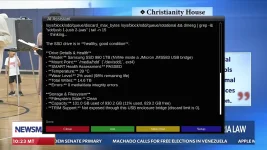
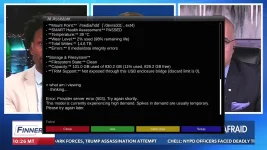
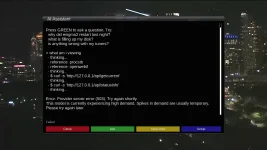
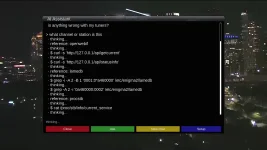
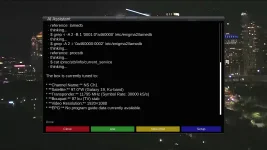
Attached is an updated plugin, and also attached are health reports generated for the two receivers, SF8008, and Edision Mini4k. Where possible, we will use scripts instead of the AI, and then where needed, we will use scripts + the AI.

What we want to guard against is bad or erroneous information. It is better to generate No information than to generate bad or erroneous information. The AI in this version is easier to work with when compared to the 2025 version.

A thread needs to be started for this aiassistant plugin. Thanks.
 

Attachments

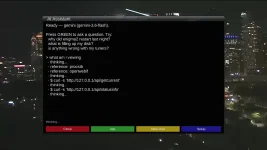
Users and testers are wanted for the aiassistant plugin. This project is complex and needs actual user input. What works fine on my receiver may not work so great on your receiver. The more input we have on the plugin, the more useful it will be. Attached are instructions on how to set the plugin up and generate the free key. Development thread is here:
 

Attachments

To be clear, BOTH usb drives are recognized, but showing insufficient space.
Pick ONE usb drive and insert it into the receiver or remove one usb drive and leave the other. Post the output of these terminal commands:
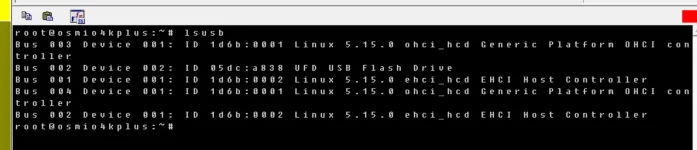
lsusb
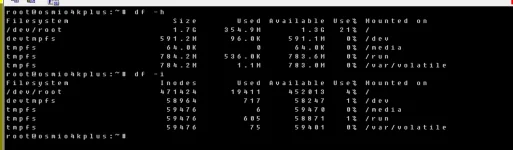
df -h
df -i
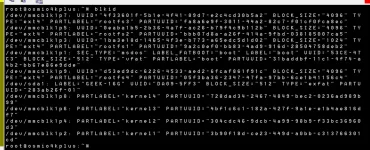
blkid
mount | grep /media
here are the outputs:
Forgot to mention that there is no issue with usb backup on other images:vix, atv, etc.
 

Attachments

  • mount  grep media.webp
    mount grep media.webp
    22.4 KB · Views: 1
  • blkid.webp
    blkid.webp
    125.8 KB · Views: 1
  • df -h+df -i.webp
    df -h+df -i.webp
    36.7 KB · Views: 1
  • lsusb.webp
    lsusb.webp
    30.8 KB · Views: 1
Same issue (error message) with usb backup for mini4k.
if i leave the usb stick plugged in & reboot the box, no more error message !!!
No issue in other images: vix, atv.
 
....And neither do I. Or why it is formatted as exFAT? That is a new one.

An unmounted drive cannot be written to. If that is or is not the problem, I have no clue as not enough information is given. The supplied terminal commands are for a mounted drive, and provide precious little information on unmounted drives.

The hard disk files for TNAP were looked at with no apparent errors. USB mount files were also looked at. I am able to use any size usb drive in my collection, up to 1 TB and make recordings, image backups...etc. But my drives are mounted. Hot-plugging was also tested.

In a nutshell, your problem cannot be understood or reproduced with the information you have provided. Whatever is causing your drive to be unmounted may be the key. Your image backup error is not enough space...The TNAP image itself checks out clean and working as designed.
 
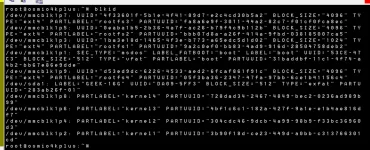
Your blkid screenshot shows the GEEK-16G stick as TYPE="exfat", not FAT32. Also, in the same set of screenshots the stick is detected but not mounted. Did you reformat the stick after those screenshots were taken?
Why they are usable only after they are left plugged in & reboot the box is unknown. My guess is you have something installed that is un-mounting them. It is just a guess. You can try rebooting the box and verify the the usb drive is mounted and run the commands again.

Enigma2 debug might show the problem. Enter this line in telnet or terminal:
init 4 && sleep 5 && ENIGMA_DEBUG_LVL=5 enigma2 > /tmp/enigma2.log 2>&1
Wait a couple of minutes after entering the above line to give time for the receiver to completely settle. Then put on of your usb drives in the receiver. After that, remove the enigma2.log file from the receiver's /tmp folder and post it. That may show exactly what happens when the usb drive is put into the receiver without a reboot.

This screenshot shows the exFAT:
1788585971099.webp
 
Back
Top