el bandido
TNAP-Images
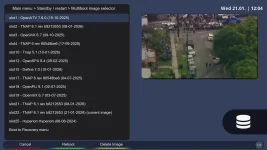
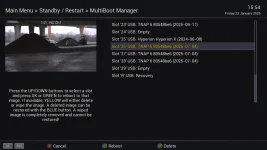
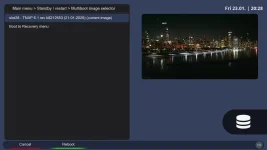
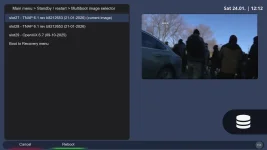
From your previous post (592), slot 23 has debris in it. The clone should work if everything is OK. What about the receiver menus? Do they show the extended slots?
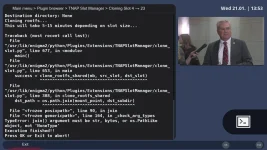
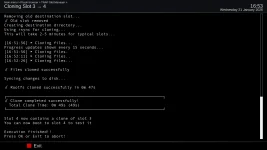
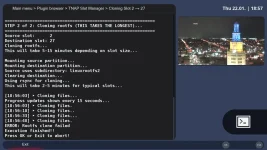
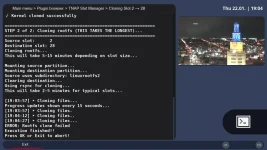
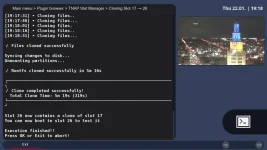
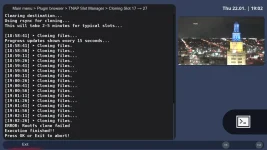
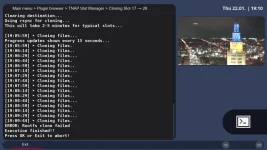
You may clone slots using terminal. Just cd to the plugin location in the receiver like we did earlier. Test and see if terminal cloning works:
Clone Command Syntax:
python3 clone_slot.py [SOURCE_SLOT] [DESTINATION_SLOT]
Your Example:
python3 clone_slot.py 4 23
What this does:
- Source: Slot 4 (TNAP 6 - internal)
- Destination: Slot 23 (Empty - SD card)
- Result: Clones slot 4 → slot 23 (complete copy)
More Examples:
# Clone current slot 21 to empty slot 23
python3 clone_slot.py 21 23
# Clone internal slot 2 to SD slot 10
python3 clone_slot.py 2 10
# Clone between SD slots
python3 clone_slot.py 10 20
# Clone SD slot back to internal
python3 clone_slot.py 16 3
What Happens:
1. Validation:
- Checks source slot has valid image ✓
- Checks destination slot exists ✓
- Asks for confirmation (destination will be overwritten)
2. Cloning Process:
- Clones kernel partition (dd copy)
- Clones rootfs partition (rsync copy)
- Preserves all files, permissions, symlinks
3. Result:
- Destination slot is exact copy of source
- Bootable immediately
- Shows same image name in list
Important Notes:
⚠ Destination will be COMPLETELY OVERWRITTEN
- Any data in slot 23 will be lost
- Plugin will ask for confirmation first
✓ Works for any slot combination:
- Internal → Internal (1-4)
- Internal → SD (1-4 → 5-29)
- SD → SD (5-29 → 5-29)
- SD → Internal (5-29 → 1-4)
✓ Much faster than backup/restore:
- No compression/decompression
- Direct partition copy
- Takes ~2-5 minutes for 2GB image
✓ Now validates properly:
- Won't clone from empty slots (e.g., slot 20 with 445M leftover)
- Won't clone from slots without complete images
Your Specific Case:
python3 clone_slot.py 4 23
Before:
- Slot 4: TNAP 6 (582.1M)
- Slot 23: Empty (340.1M leftover)
After:
- Slot 4: TNAP 6 (582.1M) - unchanged
- Slot 23: TNAP 6 (582.1M) - exact copy! ✓
You may clone slots using terminal. Just cd to the plugin location in the receiver like we did earlier. Test and see if terminal cloning works:
Clone Command Syntax:
python3 clone_slot.py [SOURCE_SLOT] [DESTINATION_SLOT]
Your Example:
python3 clone_slot.py 4 23
What this does:
- Source: Slot 4 (TNAP 6 - internal)
- Destination: Slot 23 (Empty - SD card)
- Result: Clones slot 4 → slot 23 (complete copy)
More Examples:
# Clone current slot 21 to empty slot 23
python3 clone_slot.py 21 23
# Clone internal slot 2 to SD slot 10
python3 clone_slot.py 2 10
# Clone between SD slots
python3 clone_slot.py 10 20
# Clone SD slot back to internal
python3 clone_slot.py 16 3
What Happens:
1. Validation:
- Checks source slot has valid image ✓
- Checks destination slot exists ✓
- Asks for confirmation (destination will be overwritten)
2. Cloning Process:
- Clones kernel partition (dd copy)
- Clones rootfs partition (rsync copy)
- Preserves all files, permissions, symlinks
3. Result:
- Destination slot is exact copy of source
- Bootable immediately
- Shows same image name in list
Important Notes:
⚠ Destination will be COMPLETELY OVERWRITTEN
- Any data in slot 23 will be lost
- Plugin will ask for confirmation first
✓ Works for any slot combination:
- Internal → Internal (1-4)
- Internal → SD (1-4 → 5-29)
- SD → SD (5-29 → 5-29)
- SD → Internal (5-29 → 1-4)
✓ Much faster than backup/restore:
- No compression/decompression
- Direct partition copy
- Takes ~2-5 minutes for 2GB image
✓ Now validates properly:
- Won't clone from empty slots (e.g., slot 20 with 445M leftover)
- Won't clone from slots without complete images
Your Specific Case:
python3 clone_slot.py 4 23
Before:
- Slot 4: TNAP 6 (582.1M)
- Slot 23: Empty (340.1M leftover)
After:
- Slot 4: TNAP 6 (582.1M) - unchanged
- Slot 23: TNAP 6 (582.1M) - exact copy! ✓